Run and read evals
Run the suite, read a run, replay one eval, and gate a fix on it.
PreviewEvals is in preview and off by default. Ask your Ratel contact to turn it on for your organization.
A run replays every eval against your agent as recorded, then scores each one. Nothing runs against your live agent or tools.
Run the suite
- Run all on Evals runs the whole suite. Run queued confirms it.
- Run this task's evals on a task page, or with one task picked, runs only that task's evals.
- Run nightly on the Runs tab runs every approved eval once a day, within a daily cost cap.
The run starts within a minute. The Runs tab lists it as Queued, then Running, then its result.
Run settings
Suite settings sets the models and limits of every run: Agent model, Tool answer model, Judge model, Temperature, Max tokens, Step limit and Cost budget. Agent model defaults to the recorded model.
An eval can set its own in Edit eval › Change models and limits.
Read a run
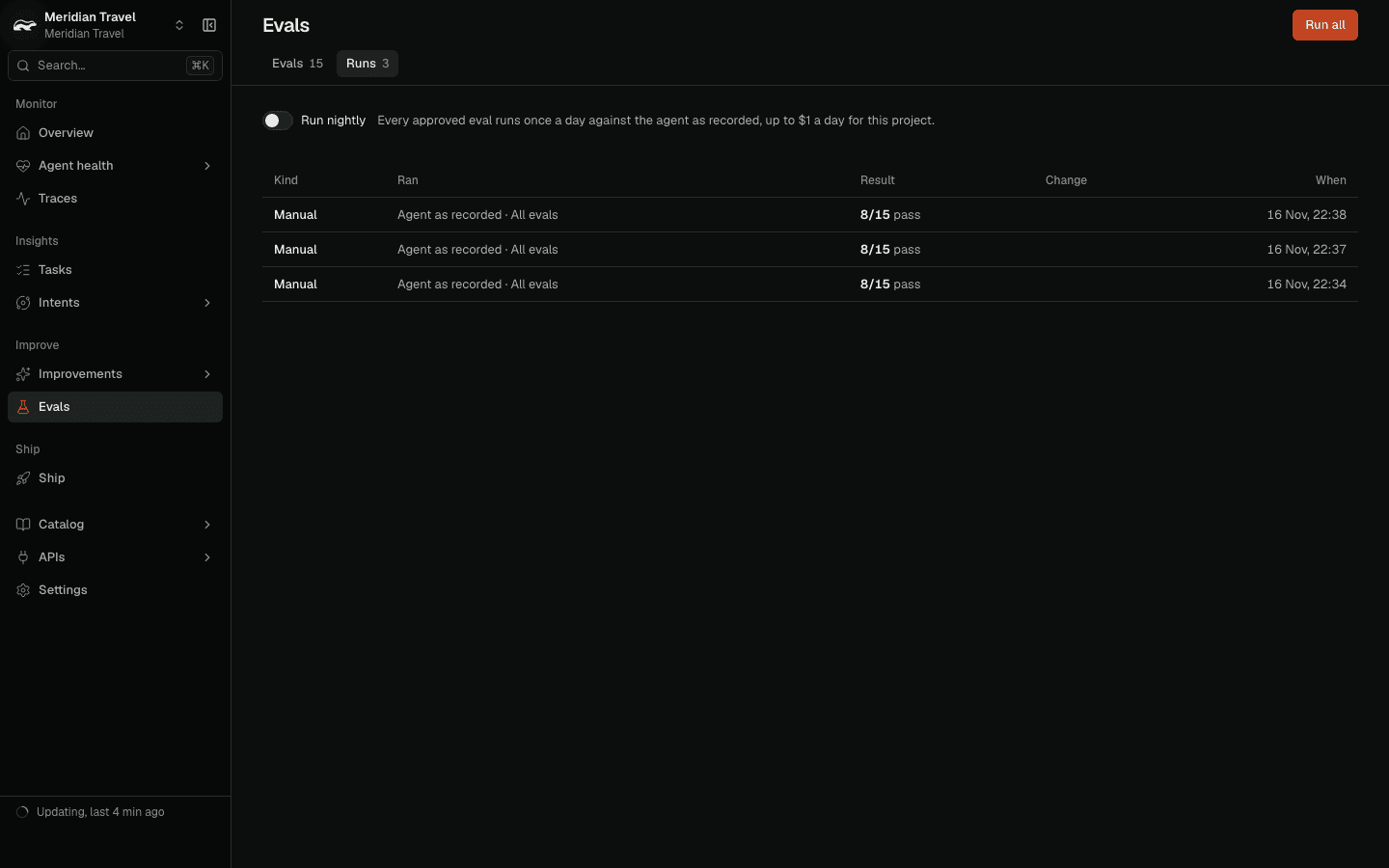
Each row of Runs shows its kind (Manual or nightly), what ran, the Result and the Change from the run before. Click a row to open it.
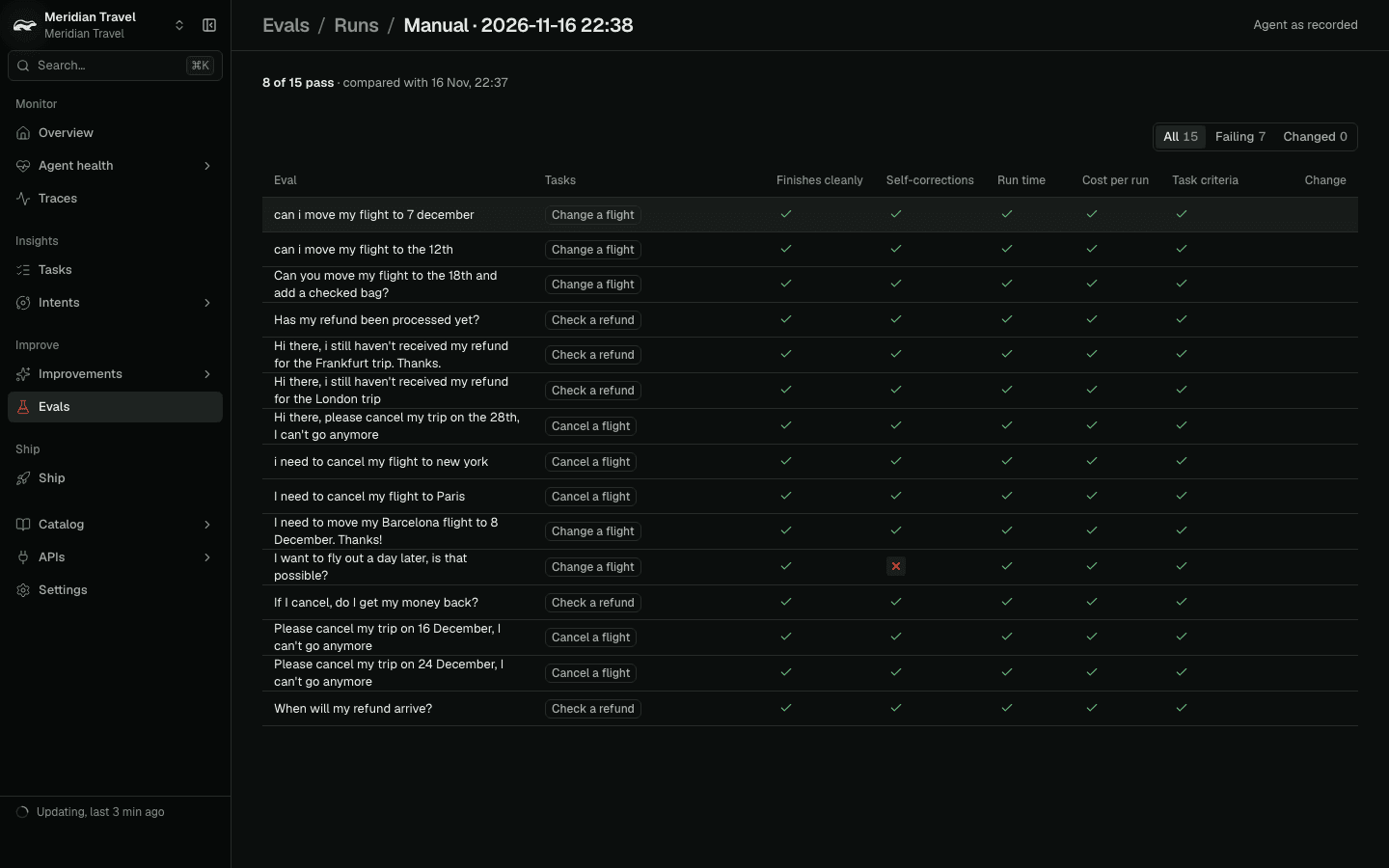
- The headline: how many evals passed, compared with the previous run.
- All, Failing and Changed filter the rows.
- One column per scorer, with a check or a cross.
- Change compares each eval with the run before: Now fails, Fixed or New.
Read one eval and its replay
Click an eval in a run to open it at that run. Its Replay section plays the run step by step, like Session replay.
- The replay's header shows the run settings it used.
- Tool answers says how many tool calls got a recorded answer.
- Open the full replay opens the recorded run in Traces.
Gate a fix
PreviewThe eval gate is in preview and off by default. Ask your Ratel contact to turn it on for your organization.
A fix's page has a Simulations section. Run evals replays the suite with the fix, and compares it with the agent today.
- Change reads Fixed or Broke for each eval, compared with the agent today.
- Unverified: it passes with the fix, but a tool call got a simulated answer. It is not counted as fixed.
Ship the fix when the simulation holds. See Fixes and Ship a fix and measure it.