Share an agent health report with your team
Send a read-only Agent health link to people without an account, or print it as a PDF.
Goal: show your agent's health to someone who has no Platform account, such as a manager or a client.
Time: about 2 minutes.
You need:
- The Admin role in the organization to create a link. See Organization.
The screenshots come from the Meridian Travel demo.
Open the share dialog
Open Monitor › Agent health and pick the window to share: 7 days, 30 days or 90 days. Open the … menu at the top right and click Share….
Create the link
Click Create public link.
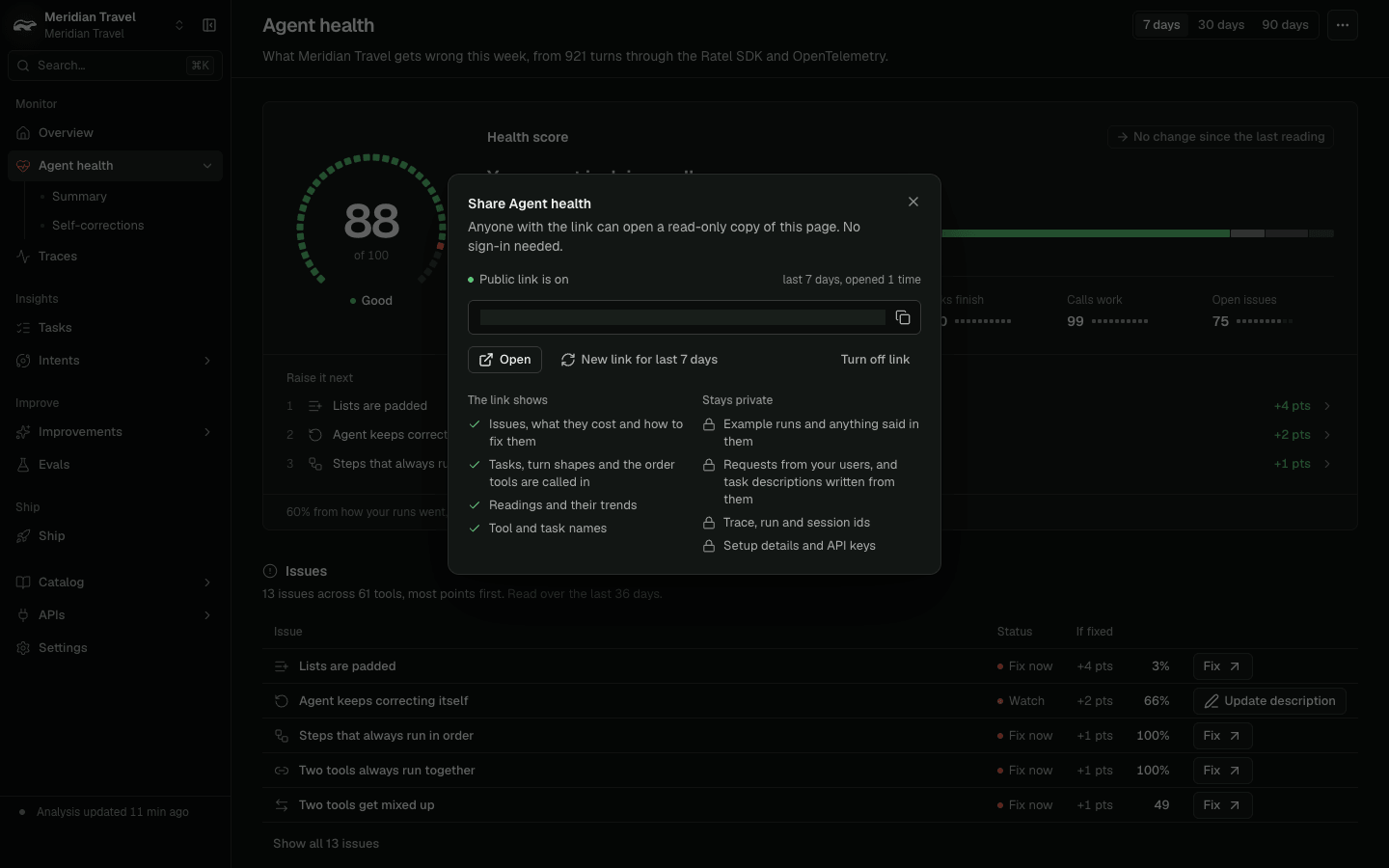
The dialog says Public link is on, for which window, and how many times it was opened. Read the two lists before you send it:
- The link shows issues, tasks, turn shapes, readings and tool names.
- Stays private: example runs and anything said in them, requests from your users, trace and session ids, setup details and API keys.
Copy the link with the button next to it.
Check what they see
Click Open. The link opens a read-only copy of Agent health. No sign-in is needed.
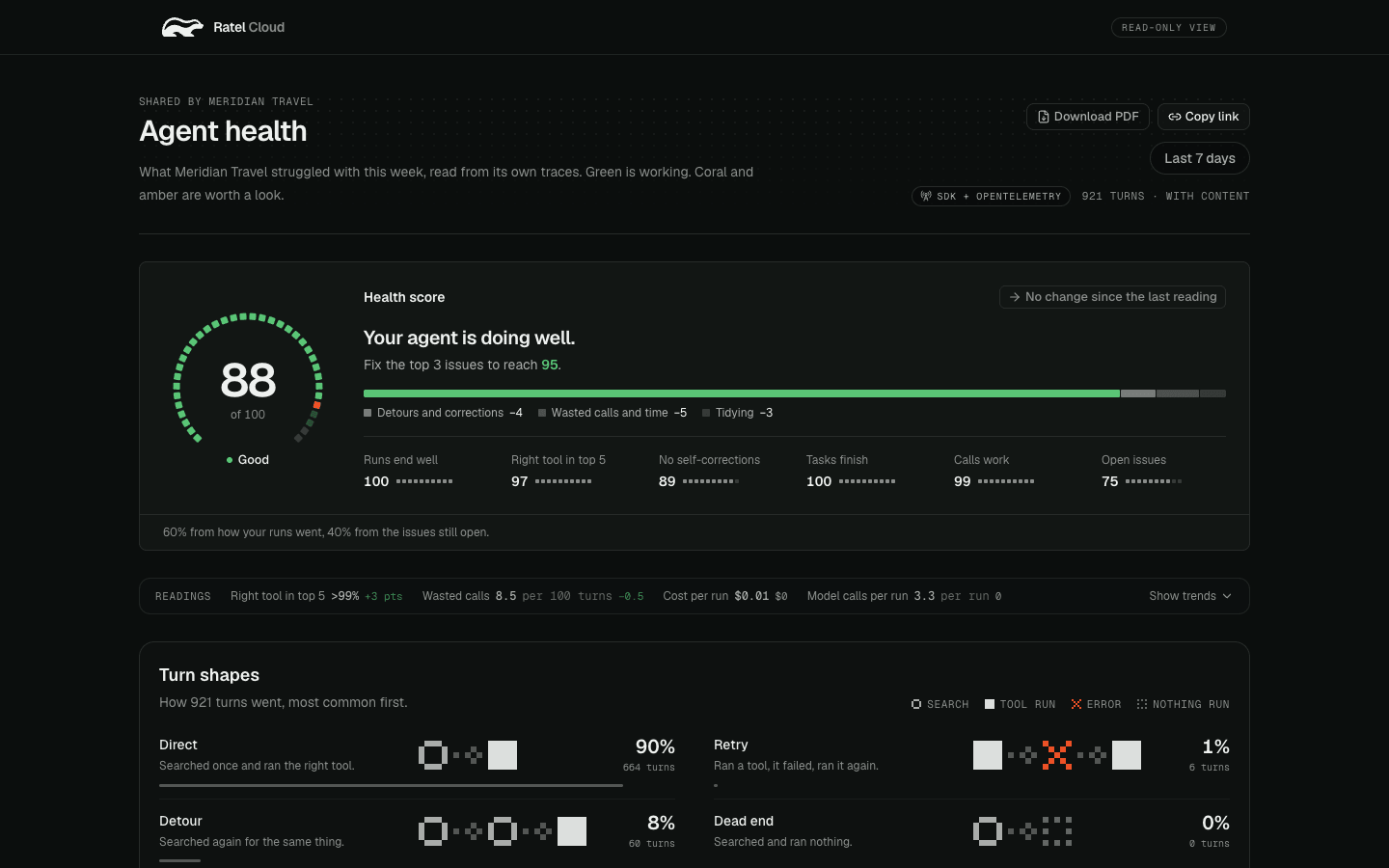
Print it
On the shared page, click Download PDF. In the console, use Download PDF in the … menu. Both open an A4 report.
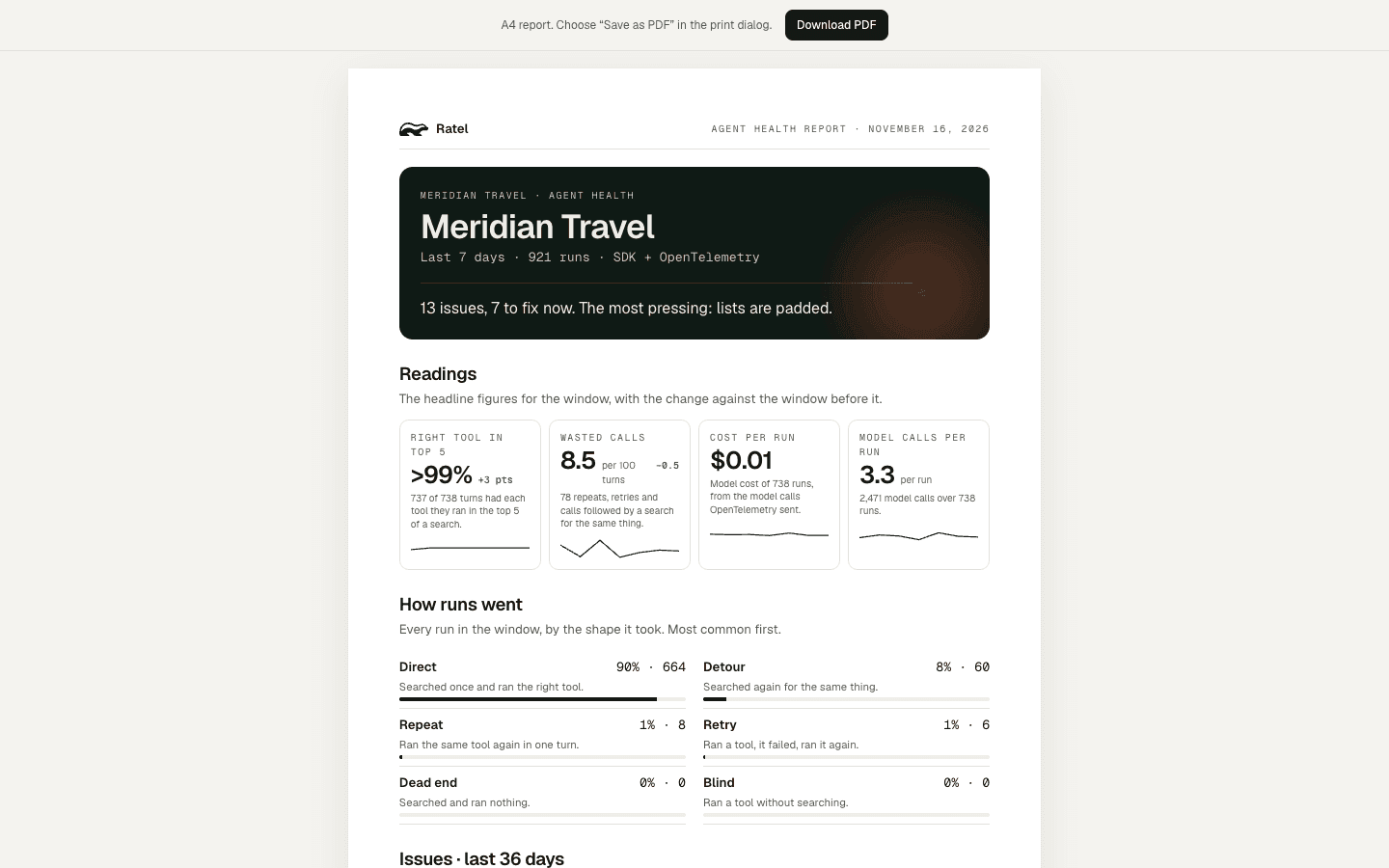
Click Download PDF on the report, or choose Save as PDF in the print dialog.
Update or stop sharing
Open Share… again:
- New link for last 7 days replaces the link with one for the window you picked. The old link stops working.
- Turn off link stops sharing. Anyone with the link loses access.
Result: your team reads the same health score you do, with no account and none of your users' data.