Ratel SDK
Send the Ratel SDK's runtime events, tool catalog and spans to the Ratel Platform.
Already on the Ratel SDK? It can send three things to the Platform:
- Runtime events: every search, tool call and registration, to
POST /api/v1/events. - Catalog snapshot: your full tool list, to
PUT /api/v1/catalog/snapshot. The Catalog page and Tool Picker read it. - Spans: the SDK's
ratel.*andexecute_toolspans, to/v1/traces.
What you need
- A project API key, exported as
RATEL_API_KEY. See the Quickstart. @ratel-ai/sdk0.10 or later, orratel-aifor Python.
Set it up
attach() from @ratel-ai/cloud-sdk/runtime sends runtime events and the catalog snapshot.
npm install @ratel-ai/sdk @ratel-ai/cloud-sdkimport { ratel } from "@ratel-ai/sdk";
import * as ratelCloud from "@ratel-ai/cloud-sdk/runtime";
const r = ratel();
// Reads RATEL_API_KEY. Attach once, after you create the runtime.
const cloud = ratelCloud.attach(r);
await r.tools.register({
id: "get_weather",
name: "get_weather",
description: "Get the current weather for a city.",
inputSchema: {
type: "object",
properties: { city: { type: "string" } },
required: ["city"],
},
outputSchema: {
type: "object",
properties: { city: { type: "string" }, temperatureC: { type: "number" } },
},
execute: async ({ city }) => ({ city, temperatureC: 24 }),
});
r.tools.search("weather in Lisbon", 5);
await cloud.close(); // flush before exit; in serverless, call cloud.flush() per requestSelf-hosting? Pass { baseUrl: "https://<your-host>/api/v1" } to attach().
For spans too, add RatelSpanProcessor from @ratel-ai/cloud-sdk/otel, as in the Quickstart.
The Python SDK sends spans. configure_telemetry() points them at the Platform.
pip install 'ratel-ai[otlp]'import asyncio
from ratel_ai import ExecutableTool, ToolCatalog, configure_telemetry
# Reads RATEL_API_KEY.
handle = configure_telemetry(endpoint="https://cloud.ratel.sh/v1/traces", service_name="my-agent")
async def main():
catalog = ToolCatalog()
await catalog.register(
ExecutableTool(
id="get_weather",
name="get_weather",
description="Get the current weather for a city.",
input_schema={"type": "object", "properties": {"city": {"type": "string"}}, "required": ["city"]},
execute=lambda args: {"city": args["city"], "temperature_c": 24},
)
)
await catalog.invoke("get_weather", {"city": "Lisbon"})
asyncio.run(main())
handle.shutdown() # flush before exitTo sync the catalog from Python, send it with the curl call in the next tab.
Sync a catalog snapshot by hand. The response is 200 with the catalog version. A snapshot replaces the previous one for the same source_id.
curl -i -X PUT https://cloud.ratel.sh/api/v1/catalog/snapshot \
  -H "Authorization: Bearer $RATEL_API_KEY" \
  -H "Content-Type: application/json" \
  -d '{ "source_id": "my-agent", "tools": [
        { "id": "get_weather", "name": "get_weather",
          "description": "Get the current weather for a city." }
      ] }'
The body shape and limits are in Catalog API. Runtime events are in Telemetry API.
Set RATEL_CLOUD_EVENTS=off to stop runtime events. The catalog snapshot keeps syncing.
Check it worked
- Open Catalog > Tools. Your tools are listed with the source Managed.
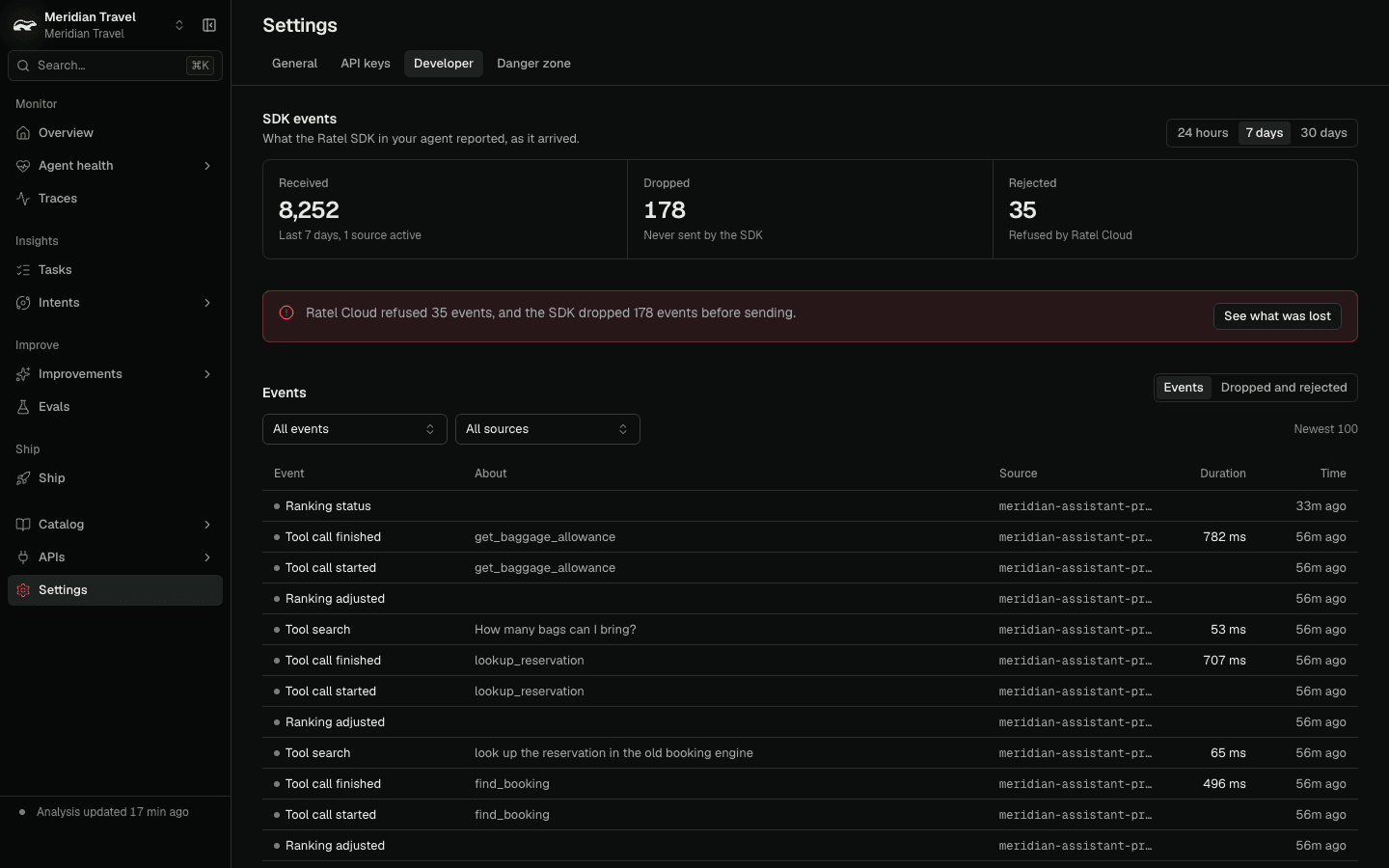
- Open Settings > Developer. SDK events lists each search and catalog change the runtime sent.