Ship a fix and measure it
Simulate a fix on your past runs, ship it, and read its live result.
Goal: test a fix before it goes live, ship it, and see whether it worked.
Time: about 10 minutes, then a few days for the live result.
You need:
- The eval gate for the simulation and the live result.
PreviewThe eval gate is in preview and off by default. Ask your Ratel contact to turn it on for your organization.
The screenshots come from the Meridian Travel demo.
Pick a fix
Open Improve › Improvements › Fixes. In Update descriptions, find Rewrite the searchable description for search_flights. Its Eval cell says it is not simulated yet. Click that cell.
Simulate it
The Eval gate page replays your past runs with the fix applied. Nothing runs against your live agent or tools.
- Click Pick runs first. The Platform picks runs from your traces: the issue's own runs first, then runs of the fix's tools and task.
- Click Run simulation.
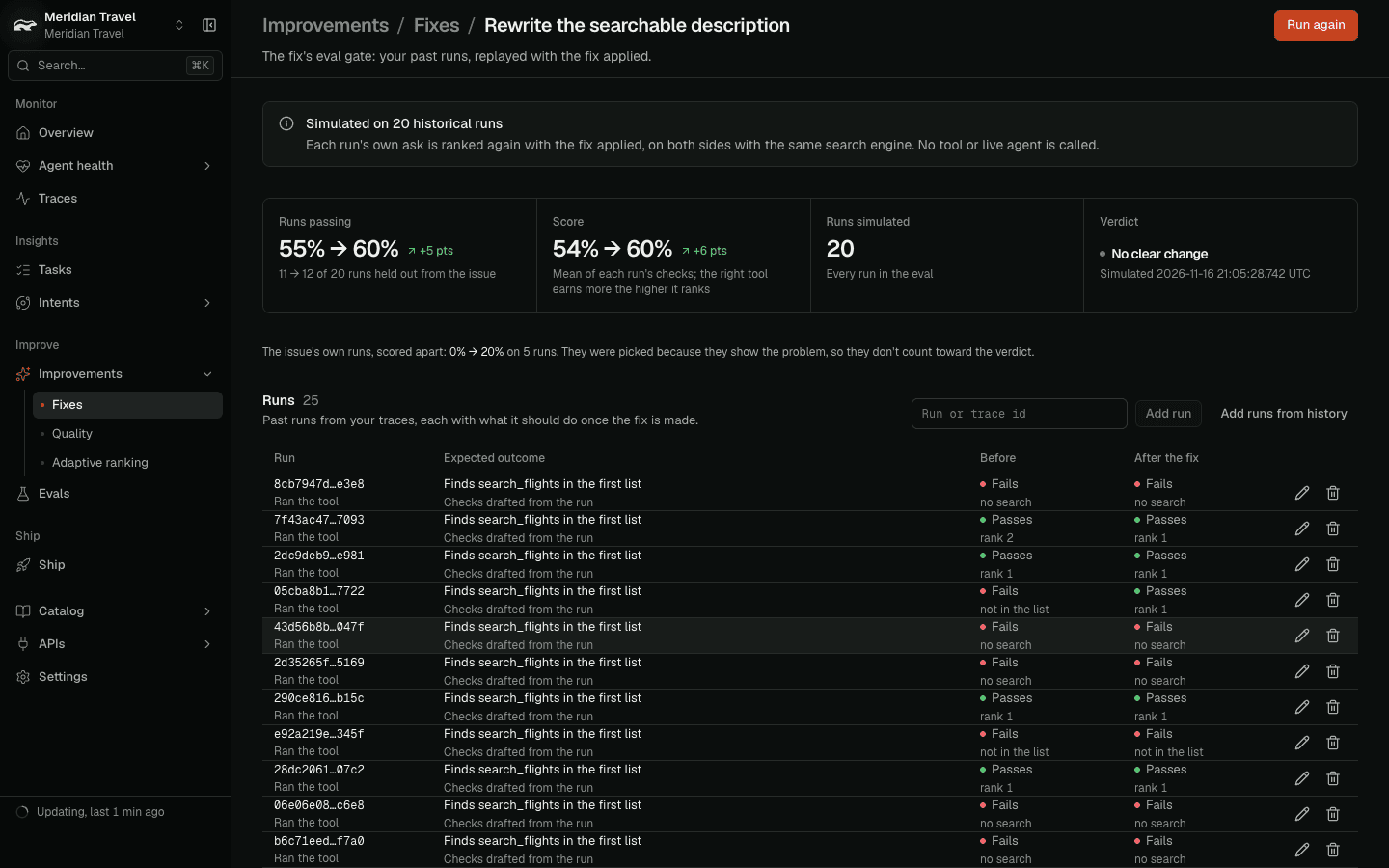
Read the four figures:
- Runs passing and Score, before and after the fix.
- Runs simulated.
- Verdict. Here it is No clear change: a small gain, not enough to be sure.
The table below lists each run, Before and After the fix. Run again reruns it after you edit the runs.
Ship it
How you ship depends on the fix:
- A description rewrite: click Update description, then Apply rewrite on Quality. See Find why your agent picks the wrong tool.
- A change in your code: Copy prompt, make the change and deploy it. Then record the release with
mark_fix_shippedfrom your coding agent. With the eval gate on, a fix's page has no Mark as shipped button yet. Without the gate, the button is in the fix panel. See Fixes.
See it on Ship
Open Ship › Ship.
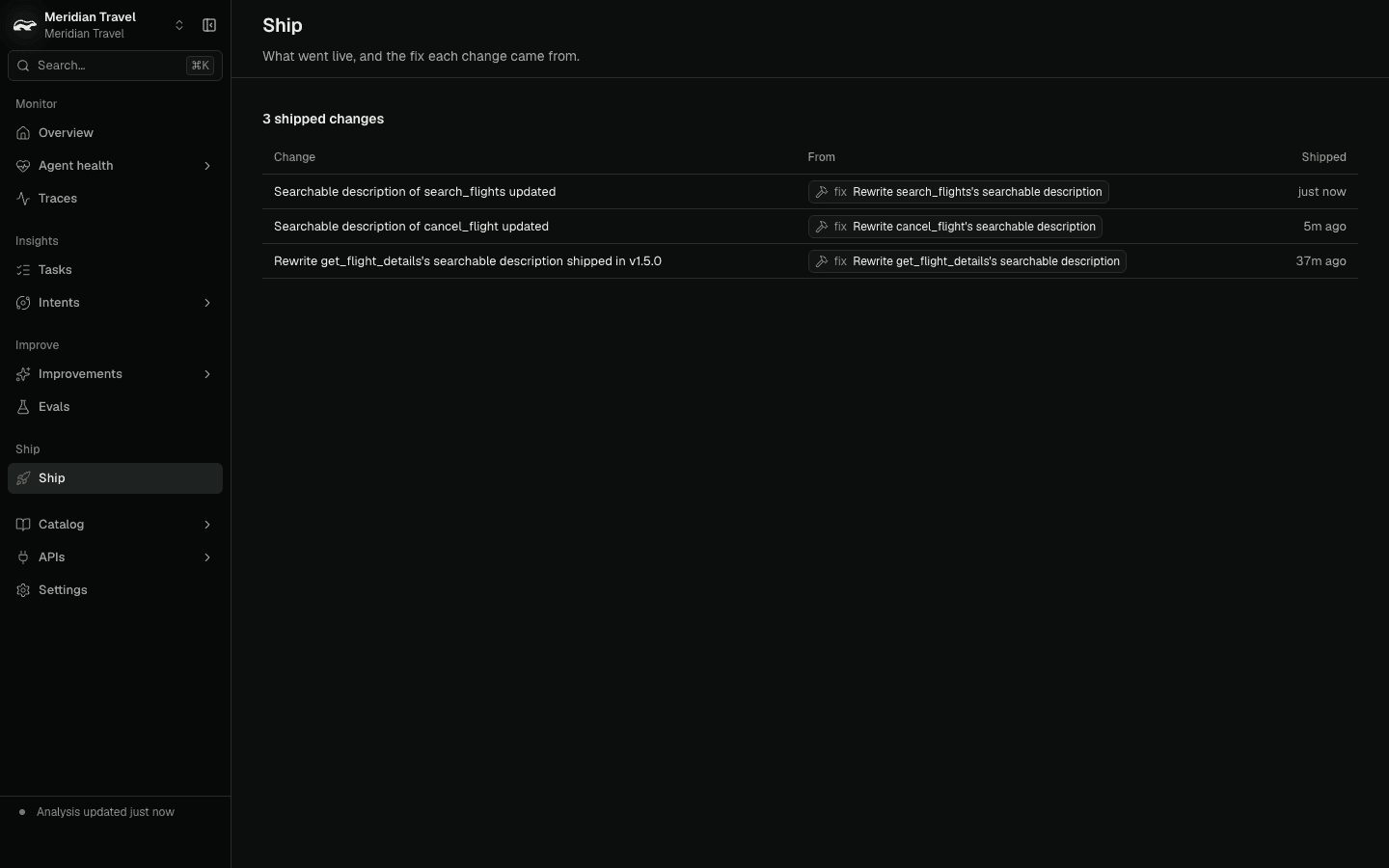
Each row is a change that went live, with the fix it came from. Click a row for its trail, from the trace that showed the problem to the shipment.
Read the live result
Open the task the fix belongs to in Insights › Tasks. Its Score section shows Live results for the version you shipped.
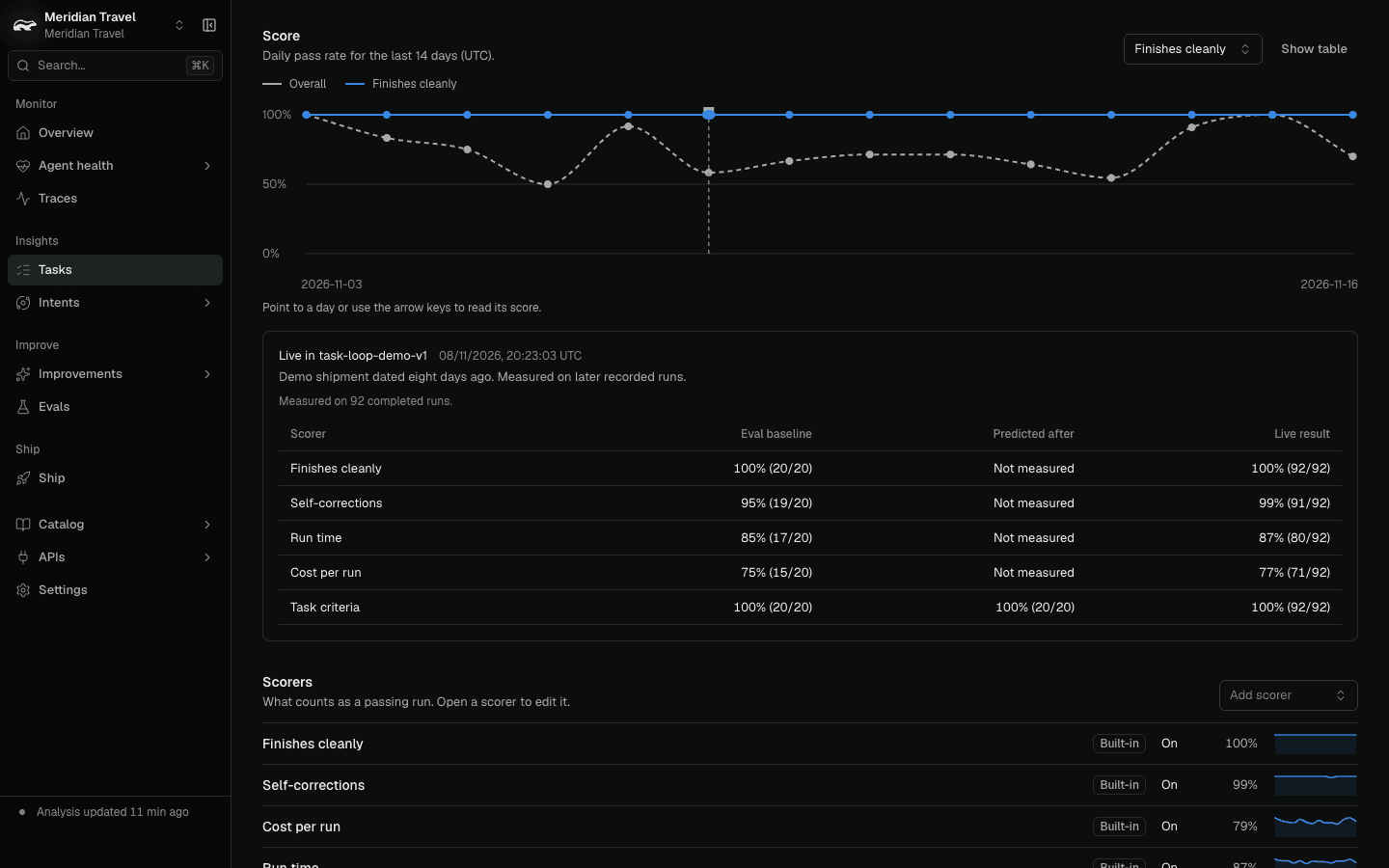
Each scorer shows its Eval baseline, the Predicted after from the simulation, and the Live result on runs after the release. The live result waits for 20 completed runs or 7 days.
Result: you know what the fix should do before it ships, and what it did after. If the live result is worse, open Agent health to find the next issue.
Find why your agent picks the wrong tool
Follow one missed search from Agent health to a trace, see it in Quality and Test a search, then fix it with a description rewrite.
Investigate a session with your coding agent
Ask Claude Code about a failed session over the Ratel MCP server, and follow it to the fix.