OpenTelemetry
Point any OpenTelemetry exporter at the Ratel Platform. No Ratel SDK needed.
The Platform ingests standard OTLP. Any agent that emits LLM spans can send them, in any language.
What you need
- A project API key, exported as
RATEL_API_KEY. See the Quickstart. - An OTLP/HTTP exporter. Protobuf and JSON both work. gRPC does not.
| Setting | Value |
|---|---|
| Traces endpoint | https://cloud.ratel.sh/v1/traces |
| Logs endpoint | https://cloud.ratel.sh/v1/logs (content events, optional) |
| Header | Authorization: Bearer <your-key> |
| Protocol | http/protobuf or http/json |
Configure with environment variables
Most OpenTelemetry SDKs read these at startup:
export OTEL_EXPORTER_OTLP_TRACES_ENDPOINT="https://cloud.ratel.sh/v1/traces"
export OTEL_EXPORTER_OTLP_TRACES_HEADERS="Authorization=Bearer%20$RATEL_API_KEY"
export OTEL_EXPORTER_OTLP_TRACES_PROTOCOL="http/protobuf"
The space after Bearer is URL-encoded as %20.
Or configure in code
One span, nothing to install:
curl -i https://cloud.ratel.sh/v1/traces \
  -H "Authorization: Bearer $RATEL_API_KEY" \
  -H "Content-Type: application/json" \
  -d '{ "resourceSpans": [{ "scopeSpans": [{ "spans": [{
        "traceId": "'"$(openssl rand -hex 16)"'", "spanId": "'"$(openssl rand -hex 8)"'",
        "name": "chat gpt-4o", "kind": 3,
        "startTimeUnixNano": "'"$(date +%s)"'000000000",
        "endTimeUnixNano": "'"$(date +%s)"'900000000",
        "attributes": [
          { "key": "gen_ai.operation.name", "value": { "stringValue": "chat" } },
          { "key": "gen_ai.provider.name", "value": { "stringValue": "openai" } },
          { "key": "gen_ai.request.model", "value": { "stringValue": "gpt-4o" } },
          { "key": "gen_ai.usage.input_tokens", "value": { "intValue": "1200" } },
          { "key": "gen_ai.usage.output_tokens", "value": { "intValue": "80" } }
        ] }] }] }] }'
npm install @opentelemetry/api @opentelemetry/sdk-node @opentelemetry/exporter-trace-otlp-protoimport { NodeSDK } from "@opentelemetry/sdk-node";
import { OTLPTraceExporter } from "@opentelemetry/exporter-trace-otlp-proto";
const sdk = new NodeSDK({
serviceName: "my-agent",
traceExporter: new OTLPTraceExporter({
url: "https://cloud.ratel.sh/v1/traces",
headers: { Authorization: `Bearer ${process.env.RATEL_API_KEY}` },
}),
});
sdk.start();
process.once("beforeExit", () => sdk.shutdown());Import it first (node --import ./otel.mjs app.mjs), then add an instrumentation for your model client.
pip install opentelemetry-sdk opentelemetry-exporter-otlp-proto-httpimport os
from opentelemetry import trace
from opentelemetry.sdk.resources import Resource
from opentelemetry.sdk.trace import TracerProvider
from opentelemetry.sdk.trace.export import BatchSpanProcessor
from opentelemetry.exporter.otlp.proto.http.trace_exporter import OTLPSpanExporter
provider = TracerProvider(resource=Resource.create({"service.name": "my-agent"}))
provider.add_span_processor(
BatchSpanProcessor(
OTLPSpanExporter(
endpoint="https://cloud.ratel.sh/v1/traces",
headers={"Authorization": f"Bearer {os.environ['RATEL_API_KEY']}"},
)
)
)
trace.set_tracer_provider(provider)Import it at startup, then add an instrumentation for your model client, for example opentelemetry-instrumentation-openai-v2.
Other emitters work the same way: Vercel AI SDK, OpenInference and anything that follows the OpenTelemetry GenAI semantic conventions.
What the Platform reads
| You get | From | Needs |
|---|---|---|
| Tokens, cost, model, latency | gen_ai.usage.*, gen_ai.request.model, gen_ai.provider.name | Nothing extra |
| Tool calls | execute_tool spans and tool-call messages | Nothing extra |
| Unused tools | gen_ai.tool.definitions | Your instrumentation sends the offered tools |
| Context breakdown: user input, history, tools, skills, memory | Message content | Content capture on |
Content capture
Content capture sends prompts, responses and tool arguments. It is off by default. Turn it on only if that is acceptable for your data:
export OTEL_INSTRUMENTATION_GENAI_CAPTURE_MESSAGE_CONTENT=SPAN_AND_EVENTSPAN_AND_EVENTputs content on the span and as log events. Send the events to/v1/logs.- Without content, totals stay exact and the breakdown counts everything as user input.
Limits and errors
- Up to 4 MB per request.
- Monthly events depend on your plan. See Plans and limits.
| Status | Meaning |
|---|---|
202 | Accepted. The body counts the spans and model calls stored. |
401 | Missing, invalid or revoked API key. |
413 | Request over 4 MB. Lower your batch size. |
415 | Content type is not protobuf or JSON. |
429 | Monthly limit or rate limit reached. |
Check it worked
- The curl call returns
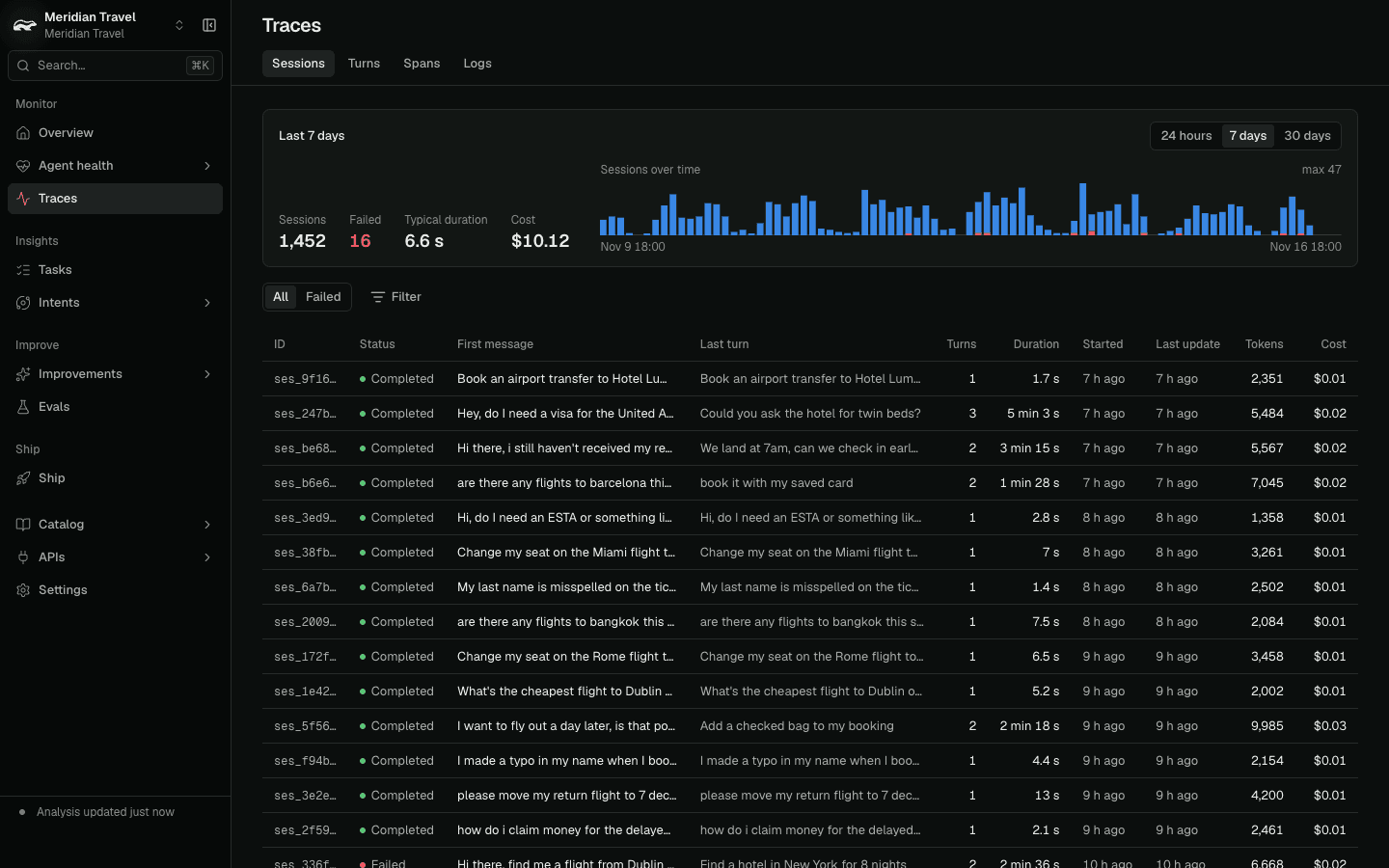
202with{"accepted":1,"calls":1,"spans":1}. - In your project, open Monitor > Traces and pick the Spans tab. Each model call shows with its model, tokens and cost.