Ratel MCP server
Read and improve your Ratel Platform projects from Claude Code, Cursor or CI through the MCP server.
The Ratel Platform runs an MCP server. Your coding agent can read your traces, catalog and health, and work on fixes, with the same access you have in the console.
Open Integrations in the organization sidebar for the snippets with your endpoint. The MCP tools page lists every tool.
Endpoint
| Where | URL |
|---|---|
| Hosted | https://cloud.ratel.sh/api/mcp |
| Self-hosted | https://<your-server>/api/mcp (proxy rules) |
The transport is stateless streamable HTTP. Each POST carries one JSON-RPC message and gets one JSON response. There is no session id and no SSE stream, and GET returns 405.
Connect
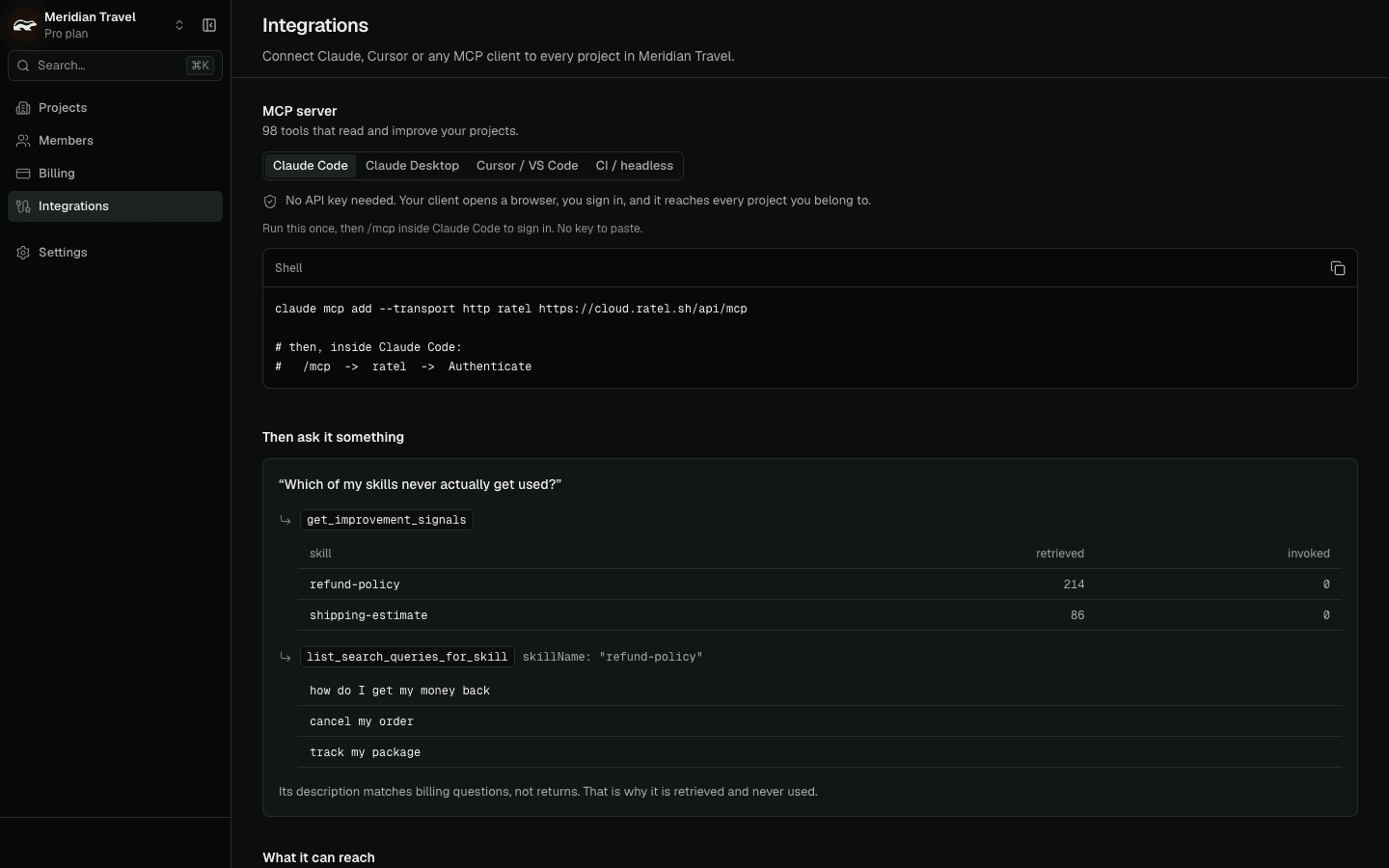
Pick your client. Every client but CI signs you in through the browser, so there is no key to paste.
Run this once:
claude mcp add --transport http ratel https://cloud.ratel.sh/api/mcpThen run /mcp inside Claude Code, pick ratel and choose Authenticate.
Open Settings → Connectors → Add custom connector and paste this URL:
https://cloud.ratel.sh/api/mcpAdd this to .cursor/mcp.json, or .vscode/mcp.json for VS Code. Sign in when prompted.
{
  "mcpServers": {
    "ratel": {
      "url": "https://cloud.ratel.sh/api/mcp"
    }
  }
}
With no browser to sign in with, use a project API key:
export RATEL_API_KEY=rtl_your_key_here
npx -y mcp-remote https://cloud.ratel.sh/api/mcp \
  --header "Authorization: Bearer $RATEL_API_KEY"
Create the key under Settings › API keys with the mcp:read scope, and mcp:write if the job changes anything.
Ask it something
Once connected, ask in plain words. For example:
Which of my skills never actually get used?
The agent calls get_improvement_signals, then list_search_queries_for_skill for each skill it finds. Every console page lists its own tools under Over MCP. The guide Investigate a session over MCP walks a full session.
Authentication
Two credentials work:
- Sign-in (OAuth). The client opens a browser and you sign in to the Platform. You reach every project of your organizations, so pass
projectIdto project tools. Calllist_projectsto find it. - Project API key. Send
Authorization: Bearer rtl_…. The key reaches one project, soprojectIdis optional. See Authentication.
An unauthenticated request gets 401 with a WWW-Authenticate header. Its resource_metadata link tells the client where to sign in.
Sign-in uses the same access list as the console. If you cannot open the console, the MCP server refuses you too.
Scopes
An API key reaches only the tools its scopes allow. A signed-in member is not limited by scopes.
| Scope | Allows |
|---|---|
mcp:read | Every read tool |
mcp:write | Every write tool, such as create_skill or run_eval |
content:read | Captured text: asks, answers, tool arguments and results |
A tool without its scope returns forbidden and names the missing scope.
Captured text needs two things for an API key: the content:read scope, and Read message content in session replay turned on in project settings. Otherwise the tool returns everything else and sets contentWithheld: true.
Not available over MCP
These stay in the console, on purpose:
- Billing and credit purchases.
- Organization and project deletion.
- Member management and invitations.
- API key creation and revocation.
- Share links for Agent health.
- Imports of past runs.
Limits
- 60 calls a minute for each credential, with bursts up to 120.
- Failed credentials are limited for each client address.
- A rate-limited call returns
429withRetry-After.
Results
Results are summarized and capped. When a result has "truncated": true, narrow the time window or follow the cursor the list returns.
A feature that is off for your plan or organization returns forbidden. get_flag_status lists what is on.