Find why your agent picks the wrong tool
Follow one missed search from Agent health to a trace, see it in Quality and Test a search, then fix it with a description rewrite.
Goal: find a search that misses the right tool, and fix it without changing your code.
Time: about 10 minutes.
You need:
- A project that sends searches from the Ratel SDK. See Send data.
- Pro or higher for Quality's Misses and Descriptions. See Plans and limits.
The screenshots come from the Meridian Travel demo: a travel agent that searches about 90 tools.
Open the issue in Agent health
Open Monitor › Agent health. Under Issues, click Two tools get mixed up. Then click the pair get_fare_rules + get_refund_status.
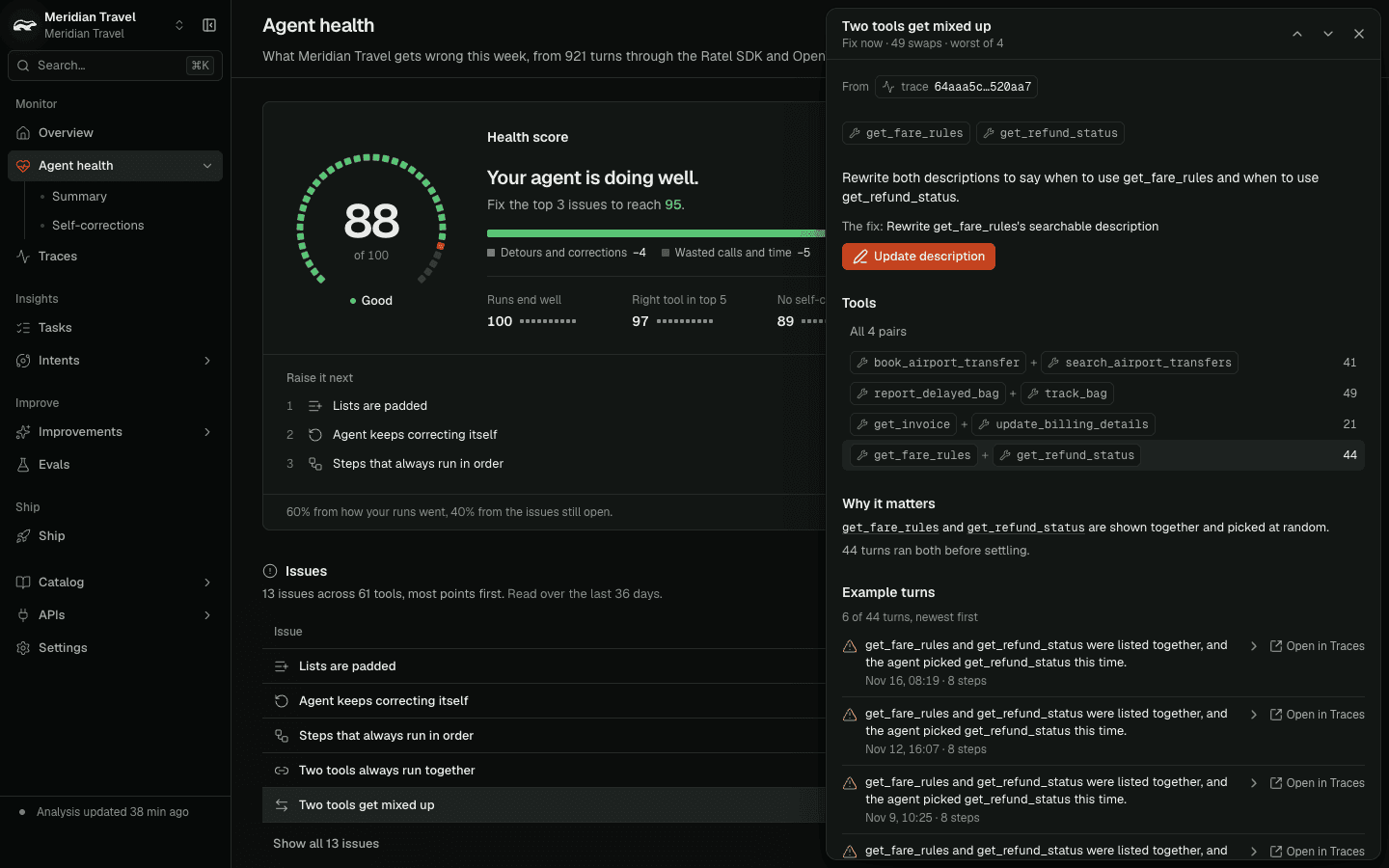
Why it matters says the two tools are shown together and picked at random. Example turns lists real turns where it happened.
Read one turn
Under Example turns, click Open in Traces on the first turn.
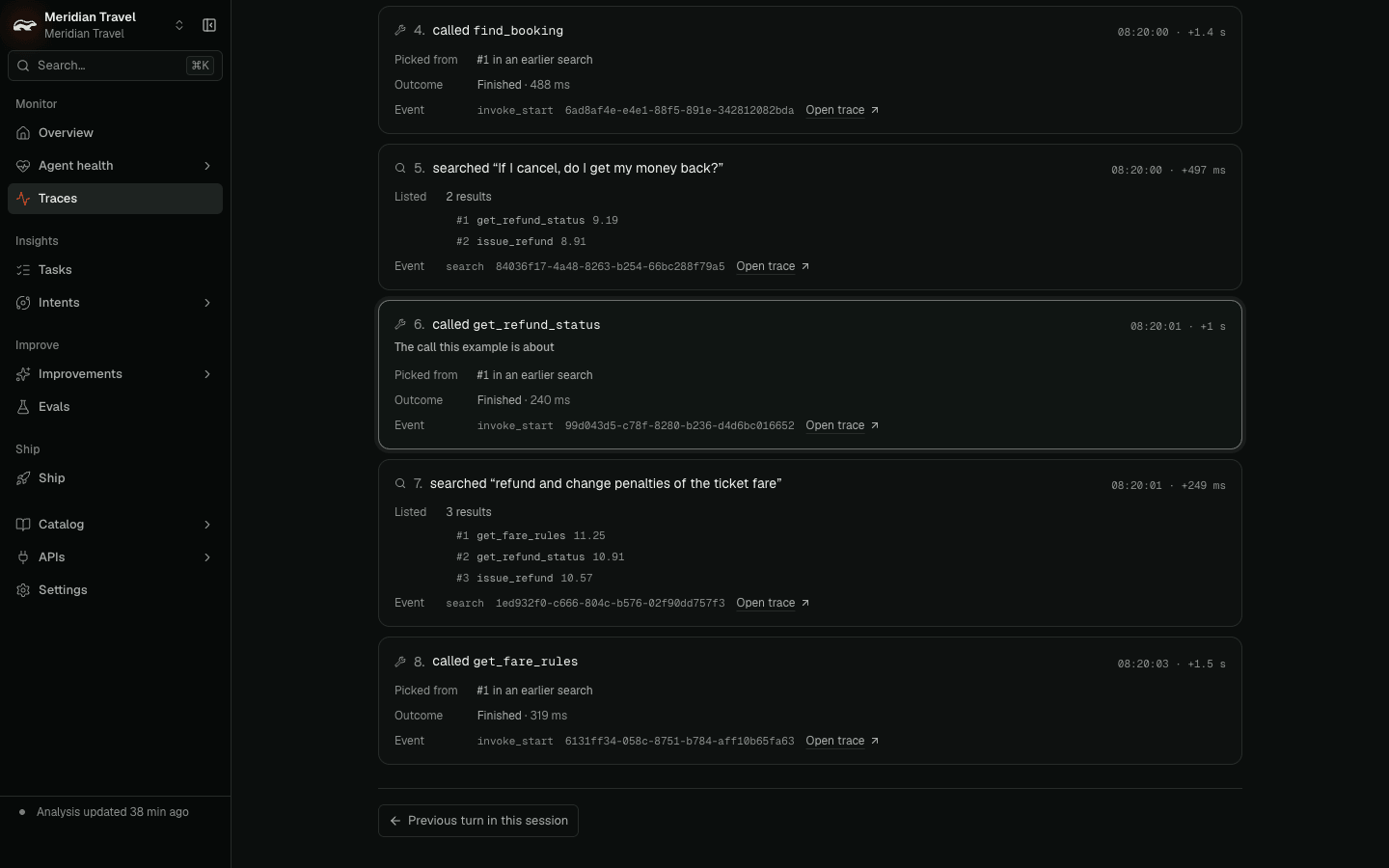
The traveler asked "If I cancel, do I get my money back?". The search listed get_refund_status first, and the agent called it. cancel_flight, which returns the refund a fare qualifies for, was not in the list. The agent then searched again.
Confirm it in Quality
Open Improve › Improvements › Quality. On Misses, type cancel_flight in Search misses….
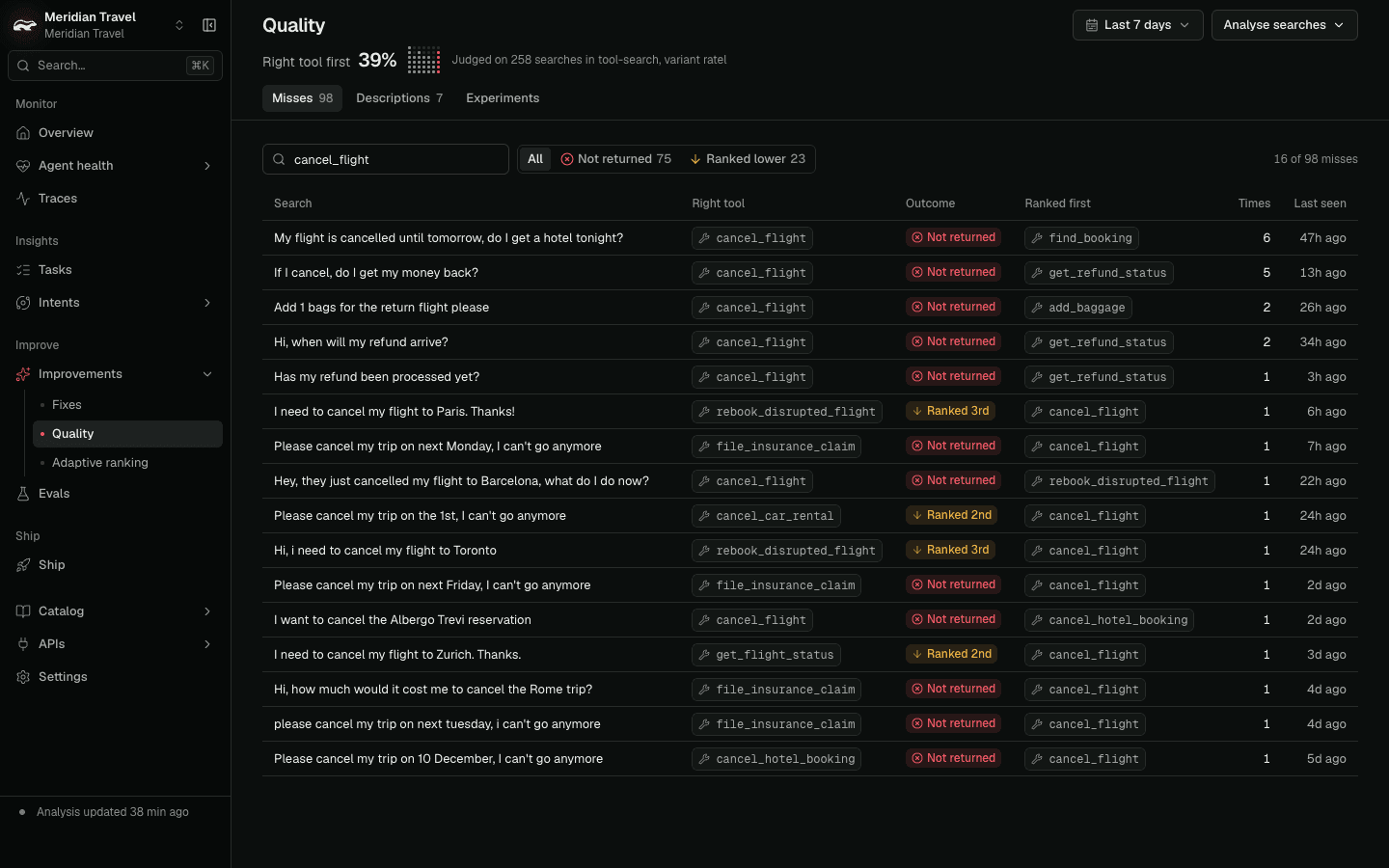
The row "If I cancel, do I get my money back?" says Not returned, Ranked first get_refund_status, 5 Times. It is not a one-off.
Reproduce it in Test a search
Open Catalog › Test a search. Type "If I cancel, do I get my money back?" and click Search.
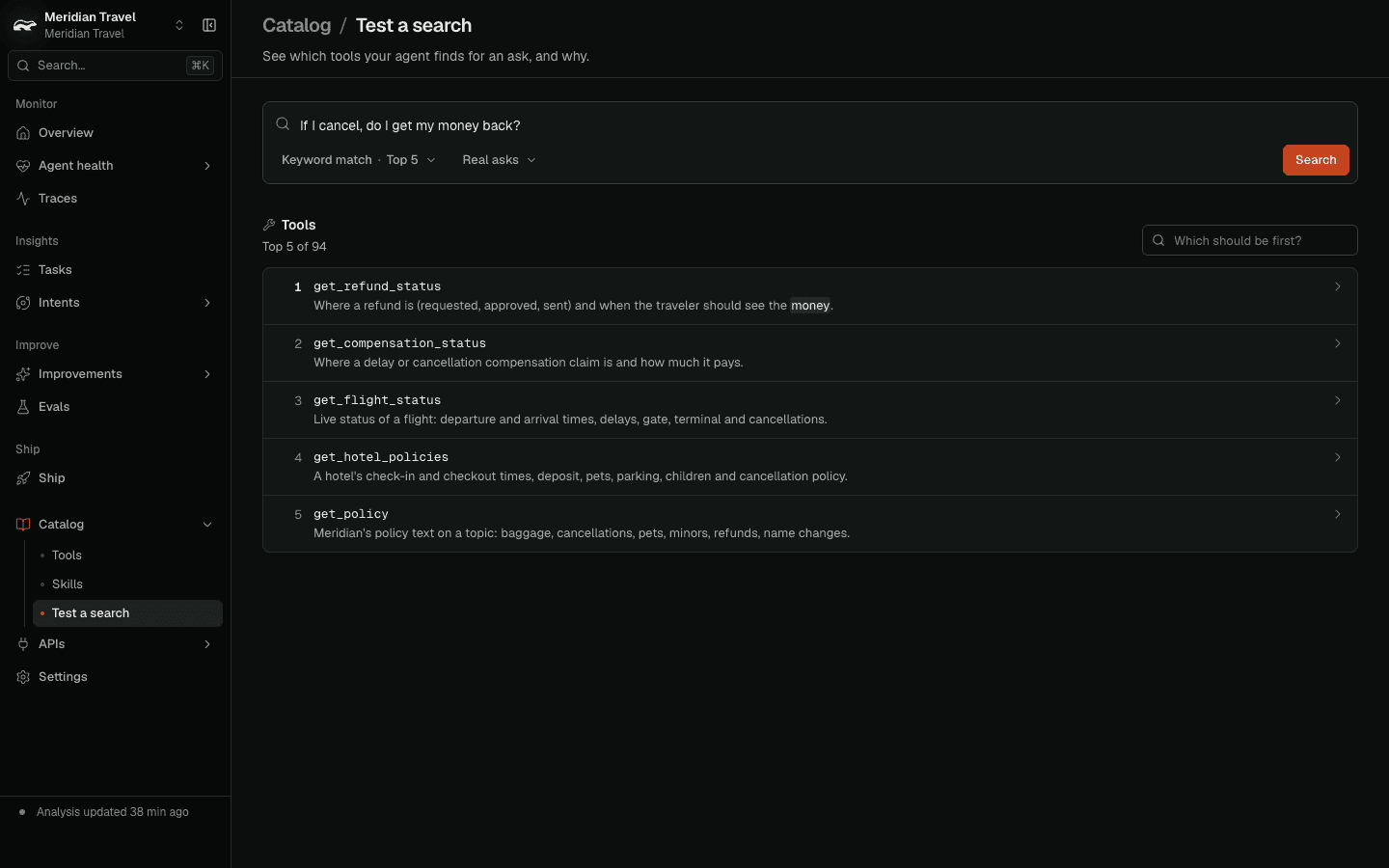
cancel_flight is not in the top 5. Its searchable description uses none of the traveler's words.
Apply the rewrite
Back in Quality, open the Descriptions tab and click cancel_flight.
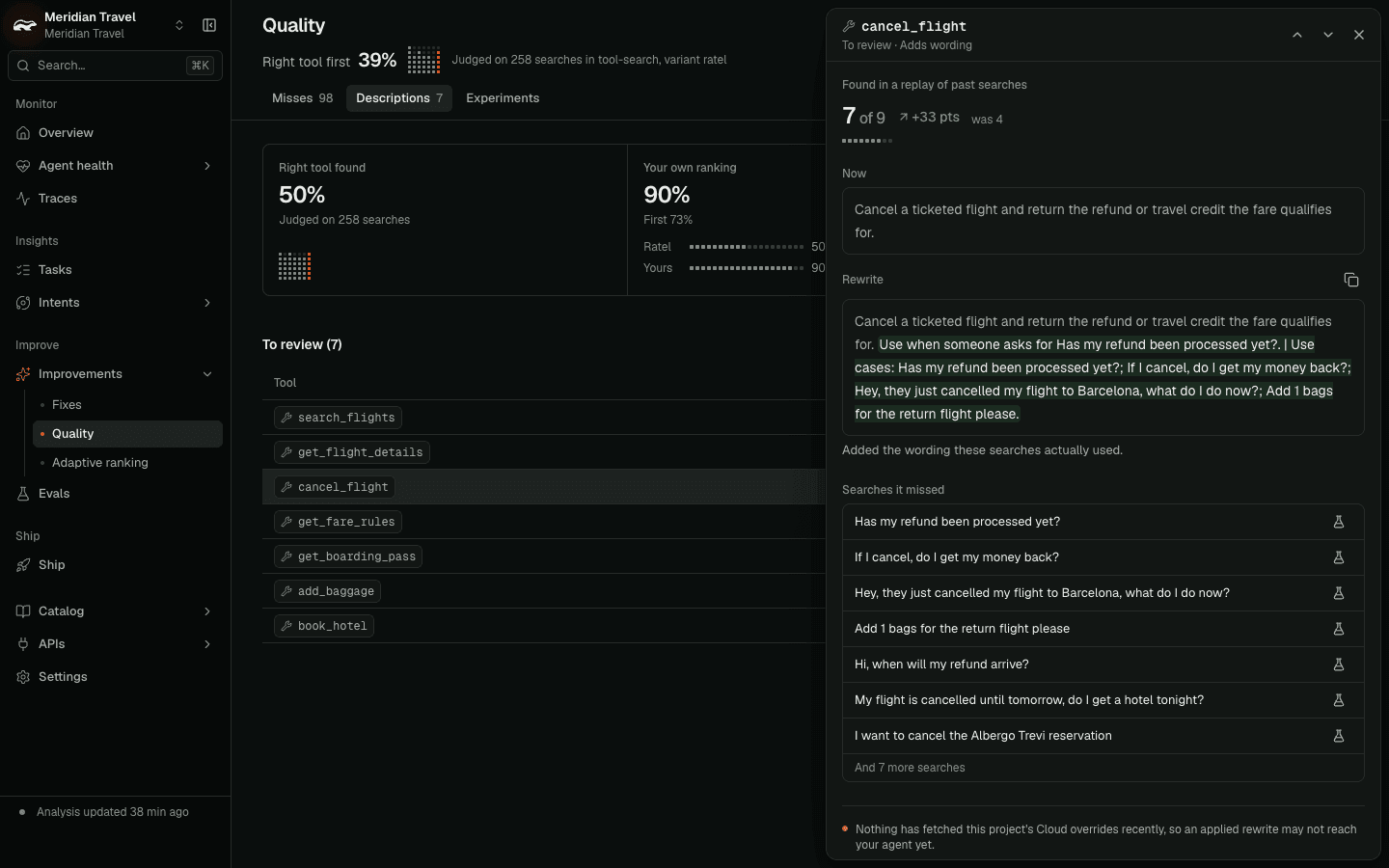
The panel shows the description Now and the Rewrite, which adds the words of the Searches it missed. Found in a replay of past searches says how many of them the rewrite fixes. Click Apply rewrite.
The rewrite reaches your agent the next time its SDK loads the Platform's catalog overrides. The panel warns you when nothing has fetched them recently.
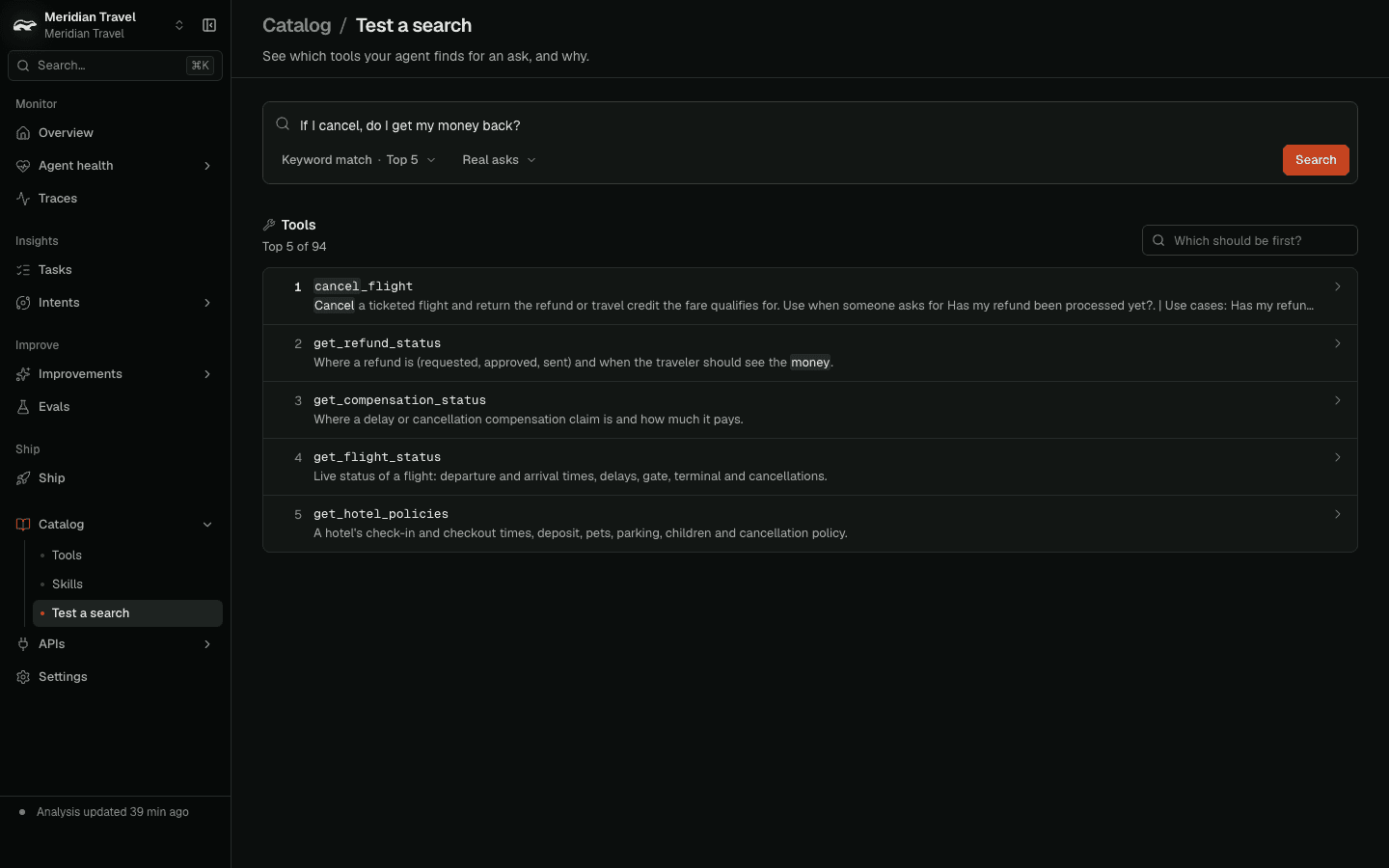
Result: cancel_flight now ranks first for the ask, and the change shows on Ship. Next, measure it after shipping.