Agent health
What your agent gets wrong, ranked by how many points each fix is worth.
Agent health answers: what does my agent get wrong, and what should I fix first?
The Platform reads your traces after each analysis run and scores them. Open it from Monitor › Agent health › Summary.
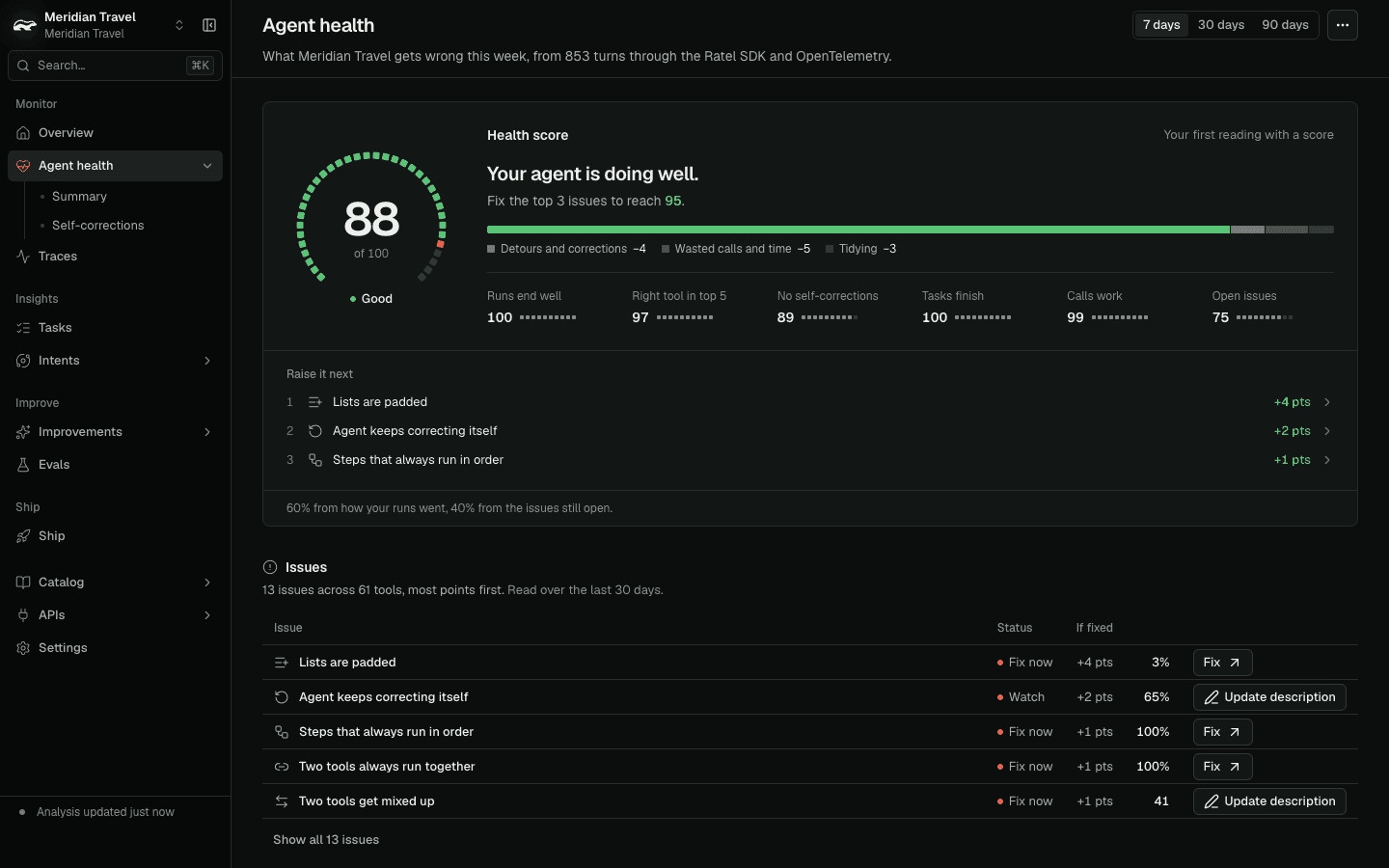
How to read it
- Header. The line under the title says which turns were read and from which source (the Ratel SDK, OpenTelemetry or both).
- Health score. A score out of 100 with a band, such as Good. 60% comes from how your runs went, 40% from the issues still open.
- Missing points. The bar under the score splits the lost points by cause, for example Detours and corrections or Wasted calls and time.
- Readings. Six figures: Runs end well, Right tool in top 5, No self-corrections, Tasks finish, Calls work and Open issues.
- Raise it next. The top three issues, with the points each one adds when fixed.
- Issues. Every issue, most points first. Status is Fix now or Watch. If fixed gives the points it is worth.
Further down, Turn shapes, What your agent calls first, Asks no task handles and Tasks that need a look show where the issues come from.
Time window
The 7 days, 30 days and 90 days switch sets the window. Your plan sets the longest one:
| Plan | Longest window | Issues shown |
|---|---|---|
| Hobby | 7 days | 3 |
| Plus | 30 days | All |
| Pro, Enterprise | 90 days | All |
A locked window says which plan has it. See Plans and limits.
Self-corrections
Agent health › Self-corrections counts the times the agent retried, switched tools, gave up or apologized.
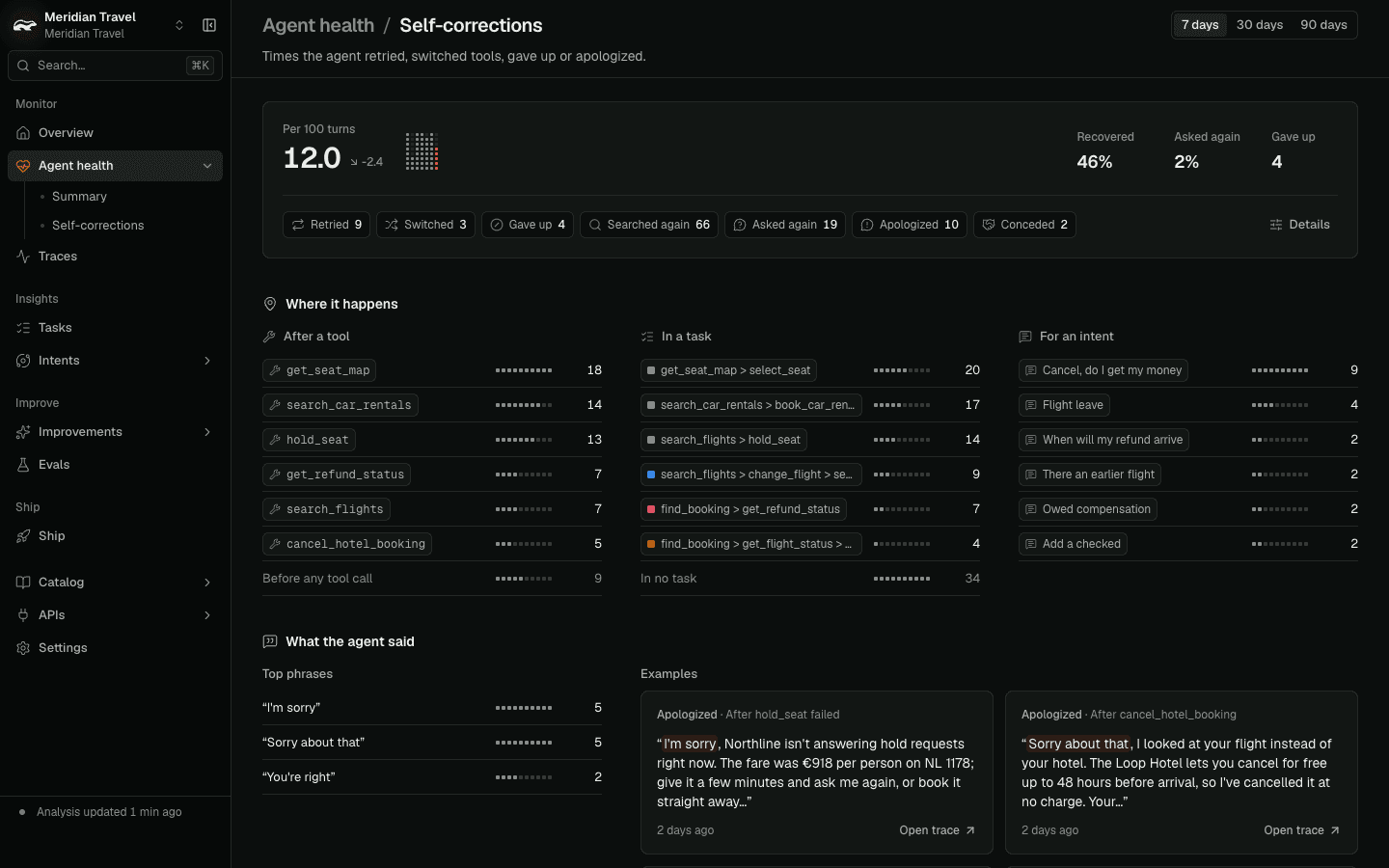
- Per 100 turns is the headline rate. Recovered, Asked again and Gave up say how those turns ended.
- The chips count each kind: Retried, Switched, Gave up, Searched again, Asked again, Apologized and Conceded.
- Where it happens splits them After a tool, In a task and For an intent.
- What the agent said lists the Top phrases and Examples. Each example opens its trace.
- What to change lists the fixes that remove the most self-corrections.
Share and print
Open the … menu at the top right:
- Share… creates a read-only public link. Only an organization admin can create one. The link shows issues, tasks, readings and tool names. It never shows example runs, user messages, ids or keys.
- Download PDF opens a printable A4 report. Choose Download PDF there, or Save as PDF in the print dialog.
- Import past runs loads older runs into the reading.
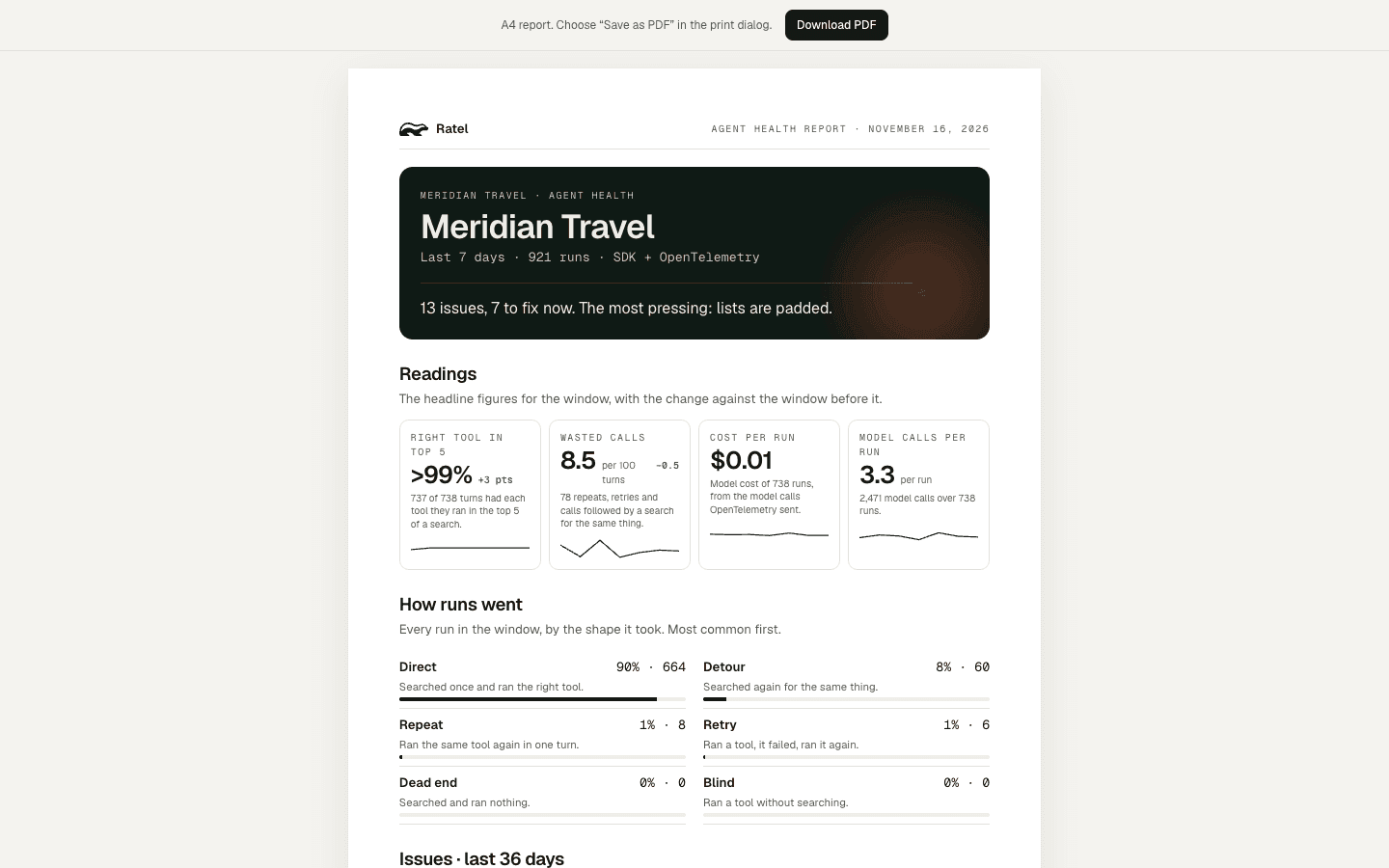
The guide Share an agent health report walks it end to end.
Next step
Click Fix or Update description on the top issue. A fix opens in Fixes. The guide Find why your agent picks the wrong tool starts here.
Over MCP
get_agent_health: the score, readings and issues.list_issue_examples: example turns for one issue.get_self_corrections: the Self-corrections page.set_health_signal_hidden: hide or show an issue.request_analysis: read the traces again now.
Share links and PDFs are not available over MCP.