Fixes
Ranked changes that would make your agent find and finish more, from description rewrites to new tools.
Fixes answers: what should I change in my agent, and what is each change worth?
The Platform drafts a fix for each issue it finds in your traces. Open it from Improve › Improvements › Fixes.
How to read it
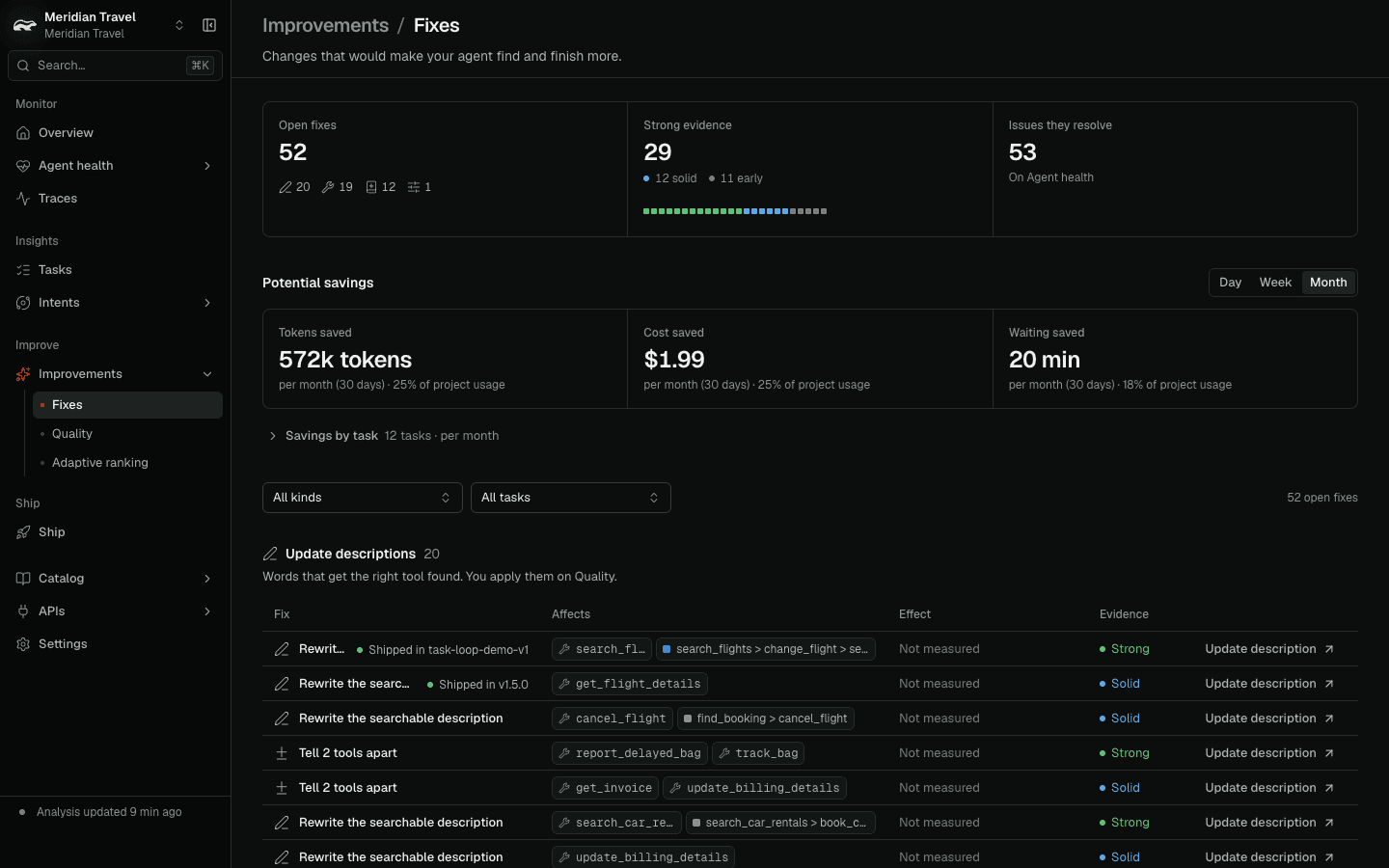
- Stats. Open fixes, Strong evidence and Issues they resolve on Agent health.
- Potential savings. Tokens, cost and waiting time saved if you apply every fix. Day, Week and Month switch the period.
- Groups. Update descriptions, Change your tools, Add skills and Ranking settings.
- Effect. The saving this fix would bring, or Not measured.
- Evidence. Strong, Solid or Early: how much of your traffic backs the fix.
All kinds and All tasks filter the list.
Apply a fix
Click a fix to open it.
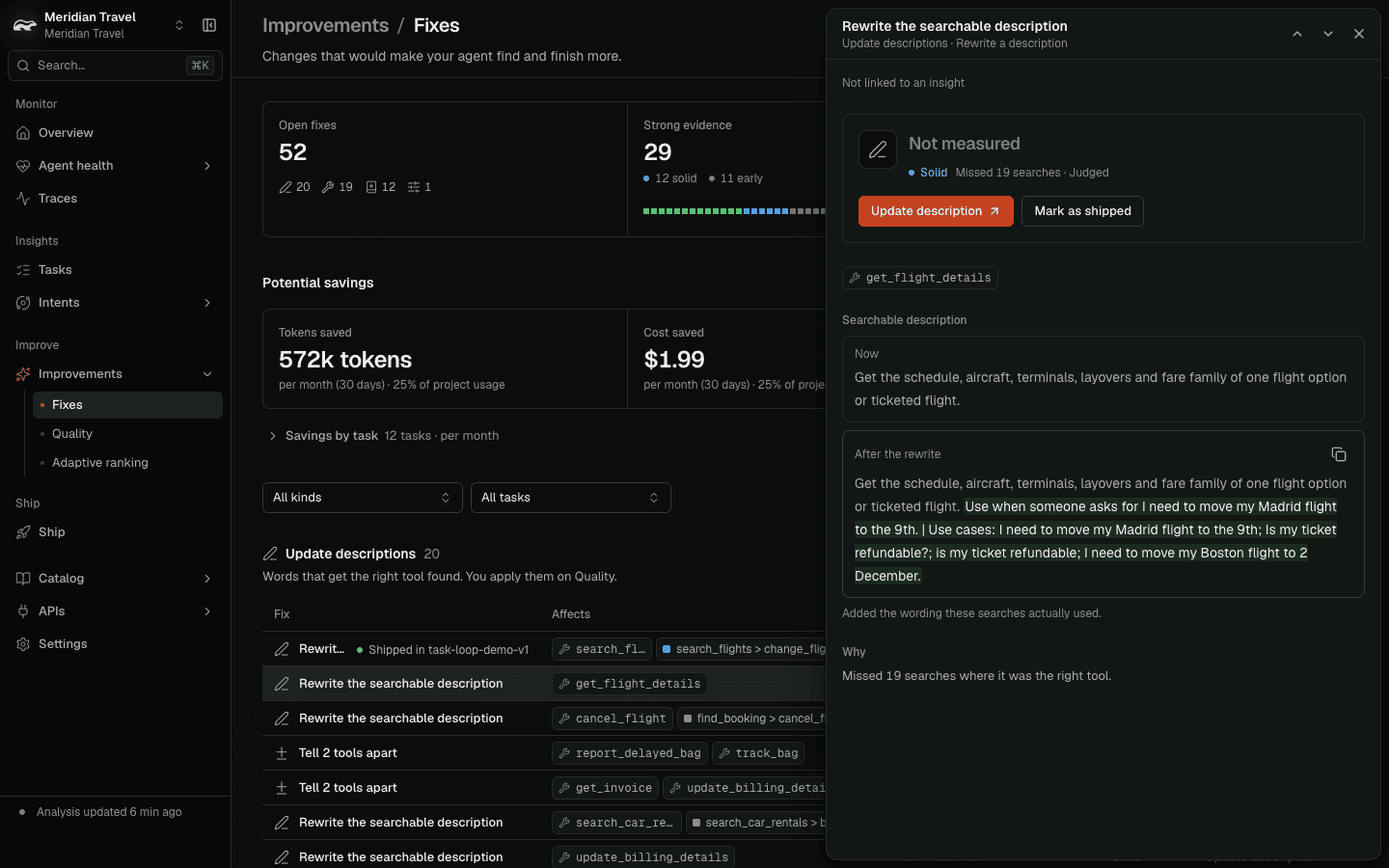
The panel says why the fix exists and what it changes. Its first button depends on the group:
- Update description opens Quality, where you apply the rewrite.
- Copy prompt copies a prompt for your coding agent. Paste it to make the change in your code.
Ratel deploys nothing. When the change is live, click Mark as shipped, enter the Version (for example v1.4.2 or a commit sha) and optional Notes, then click Save. The fix then shows on Ship. Dismiss drops a fix you will not apply.
Test a fix first
PreviewThe eval gate is in preview and off by default. Ask your Ratel contact to turn it on for your organization.
With the eval gate on, a fix opens on its own page. Its Simulations section replays your past runs with the fix applied, before you ship it.
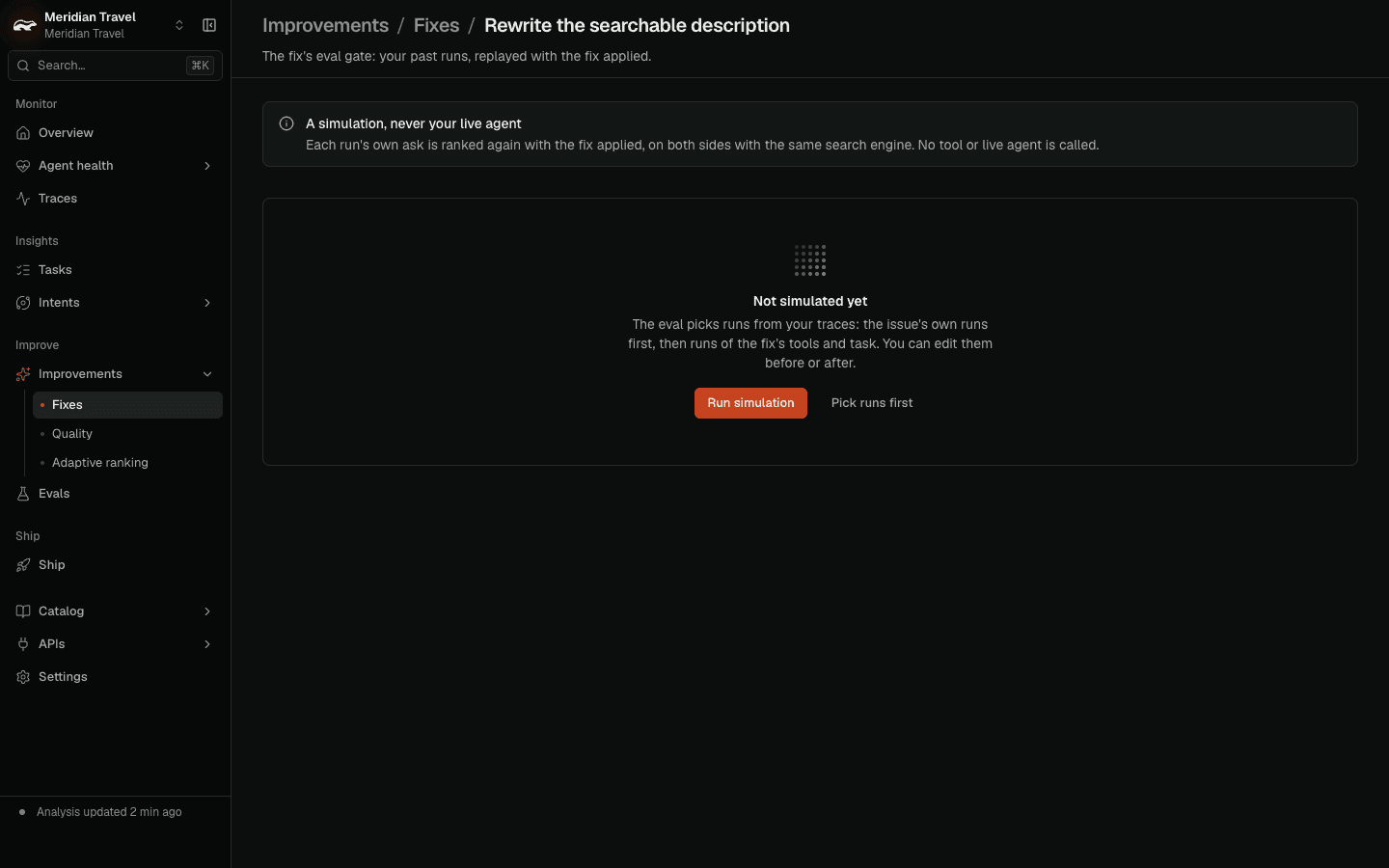
- A click on a fix opens its page instead of the panel. The page has no Mark as shipped button yet: record a release with
mark_fix_shipped. - The Eval column of the list shows each fix's result.
- On the Eval gate page, Pick runs first, then Run simulation. For a description rewrite, each run's ask is ranked again with the fix. For other fixes, a model replays each recorded conversation twice, as it was and with the fix. Nothing runs against your live agent or tools.
- The result shows Runs passing, Score, Runs simulated and a Verdict.
After you ship, the task shows Live results for that version. See Ship a fix and measure it.
Next step
Start with a fix that has Strong evidence in Update descriptions. It is the smallest change.
Over MCP
list_fixesandget_fix: the list and one fix.mark_fix_shippedanddismiss_fix: ship or drop a fix.list_tool_crafts,get_tool_craftandgenerate_tool_crafts: drafted tool changes.run_eval,get_eval,get_fix_eval_setandchange_fix_eval_set: simulations. They need the eval gate.