Tasks
The jobs your agent does again and again, found from the tools it calls together.
Tasks answers: which jobs does my agent do, and how well does it finish each one?
A task is a set of tools that runs together again and again, such as search_flights > change_flight > send_message. The Platform finds tasks from your traces. You do not define them. Open it from Insights › Tasks.
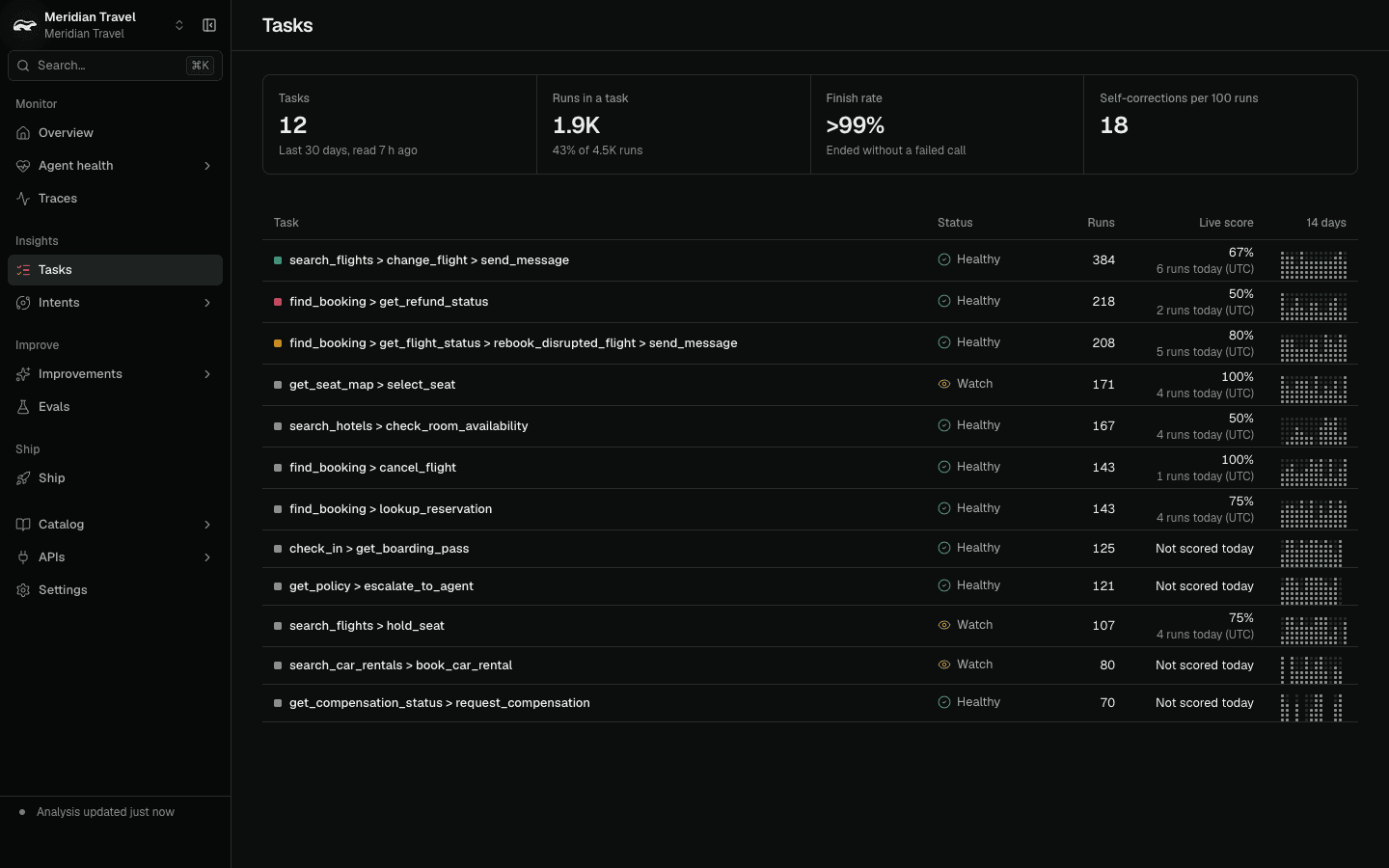
How to read it
- Stats. Tasks, Runs in a task, Finish rate and Self-corrections per 100 runs.
- Task. The tools of the task, in the order they usually run.
- Status. Healthy or Watch. Watch means the task fails or corrects itself more than the others.
- Runs. How many runs used this task.
- 14 days. One square per day.
A task shows up once at least 10 runs use the same 2 or more tools together. Before that, the page says No task repeats yet.
A task
Click a task to open it.
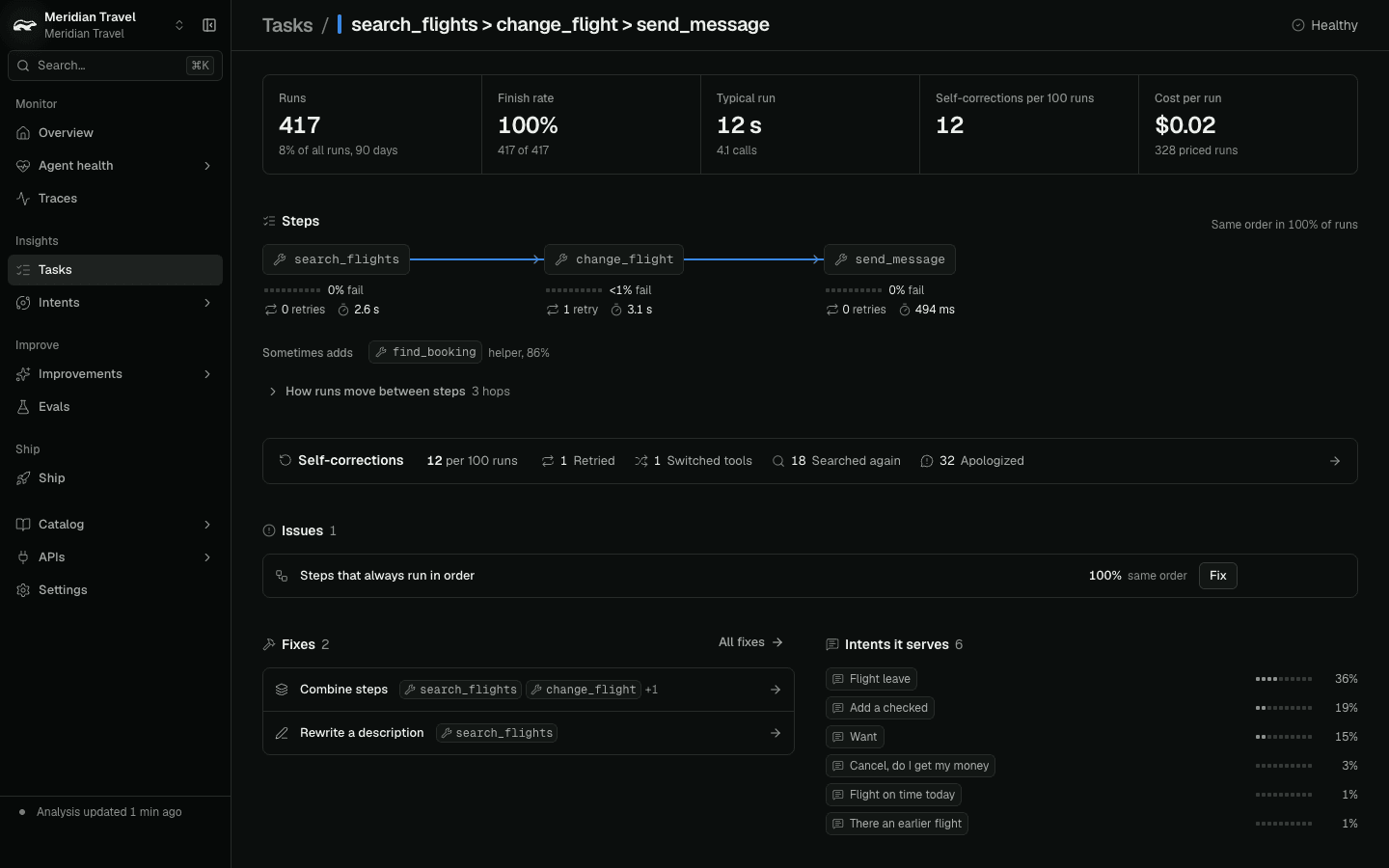
- Stats. Runs, Finish rate, Typical run, Self-corrections per 100 runs and Cost per run.
- Steps. Each tool with its failure rate, retries and time. How runs move between steps shows the other paths.
- Self-corrections, Issues and Fixes: only those of this task.
- Intents it serves. What people asked for when this task ran. See Intents.
- Example runs. Open in Traces or Replay a real run.
Scores and evals
PreviewThe eval gate is in preview and off by default. Ask your Ratel contact to turn it on for your organization.
Scorers and evals need the eval gate: the Live score column, a task's Score and scorers and Evals sections, and Turn into a test on a turn.
With the eval gate on:
- Live score gives today's share of passing runs, from the task's scorers.
- Score and scorers says what counts as a passing run. Built-in scorers include Task criteria, Finishes cleanly and Expected tool. Add scorer adds your own.
- Evals lists the evals that test this task. Run this task's evals runs them. See Evals.
Next step
Open a task with status Watch. Read its Issues, then its Fixes.
Over MCP
list_tasksandget_task: this page and one task.list_scorers,change_task_scorer,change_task_eval_set,draft_task_test,list_task_simulationsandchange_task_simulation: scores and evals. They need the eval gate and answer "forbidden" without it.