Intents
What people ask your agent for, grouped by intent, with the tasks and tools that answer them.
Intents answers: what do people want from my agent, and does it deliver?
An intent groups the asks that want the same thing, such as "Flight on time today". The Platform builds intents from the last 30 days of asks, after each Agent health reading. Open it from Insights › Intents. It has three views: All intents, Flows and Map.
Intents need the text of the asks. Your agent must capture message content. See Data and privacy.
All intents
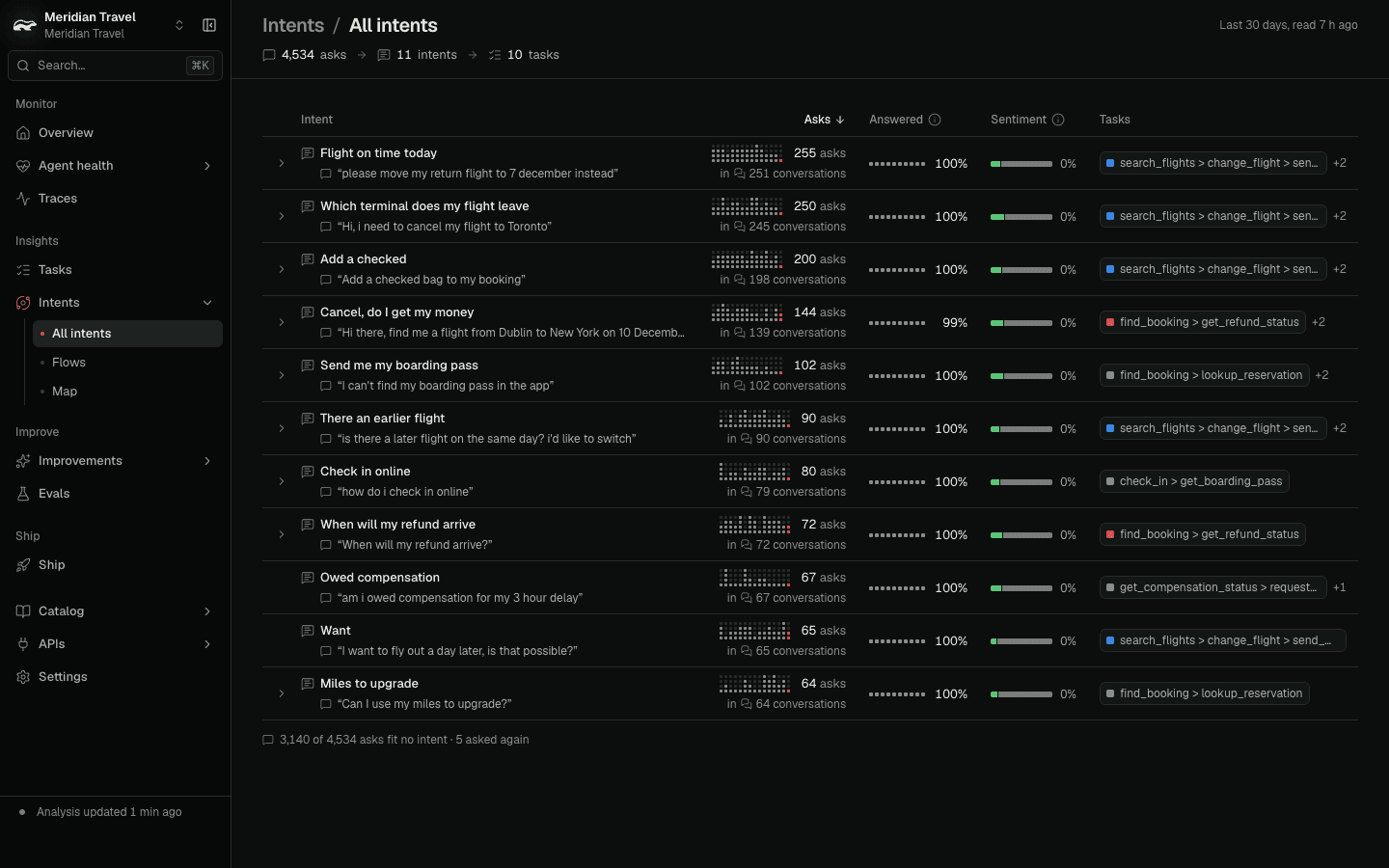
- Header. The chain asks → intents → tasks says how many asks fell into intents and which tasks serve them.
- Intent. Its name and one real ask as an example. Expand a row to see more ways of asking.
- Asks. How many asks, and in how many conversations.
- Answered. The share of asks where a tool ran, its last call worked, and the reply did not say it could not help.
- Sentiment. Positive, neutral or negative, read from the person's own words in each ask. The bar shows the mix.
- Tasks. The tasks that ran for this intent.
The line under the table counts the asks that fit no intent, and the asks asked again.
Flows
Flows answers: what do people want next, ask after ask?
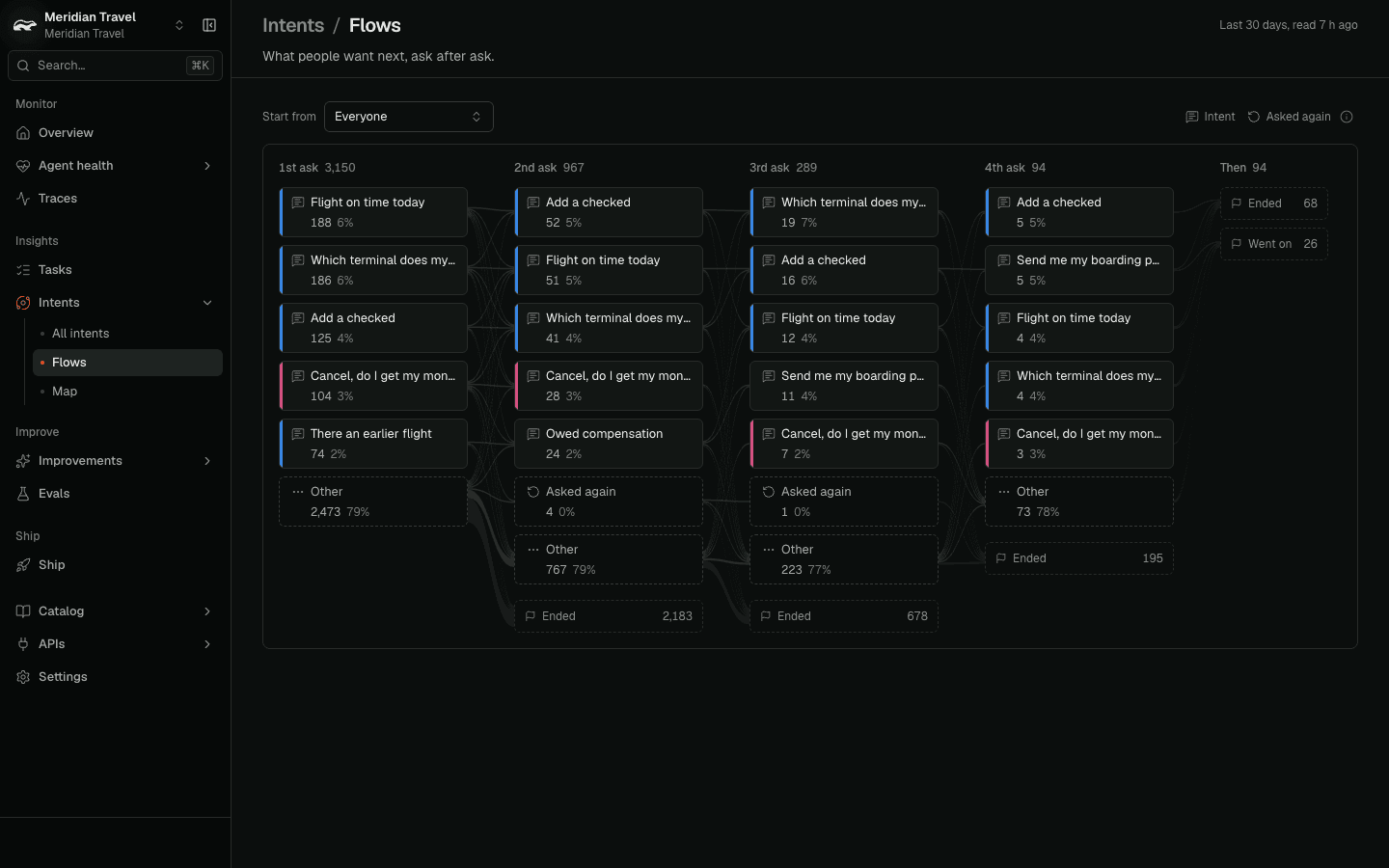
Each column is one step of a conversation: 1st ask, 2nd ask and so on. A box is an intent with its count and share. Asked again means the person repeated the same ask. Ended counts the conversations that stopped there. Start from picks the first intent to follow.
Map
Map answers: which tools serve which intent, and where do they overlap?
It draws the same intents four ways. Map, Asks, Flow and Tools switch the lens. The find box above the drawing flies to an intent or a tool. −, + and full screen zoom it. The pins under it name the three tasks that have a color, and Other tasks is gray.
Map lens
Each blob is an intent, holding the tools its asks used.
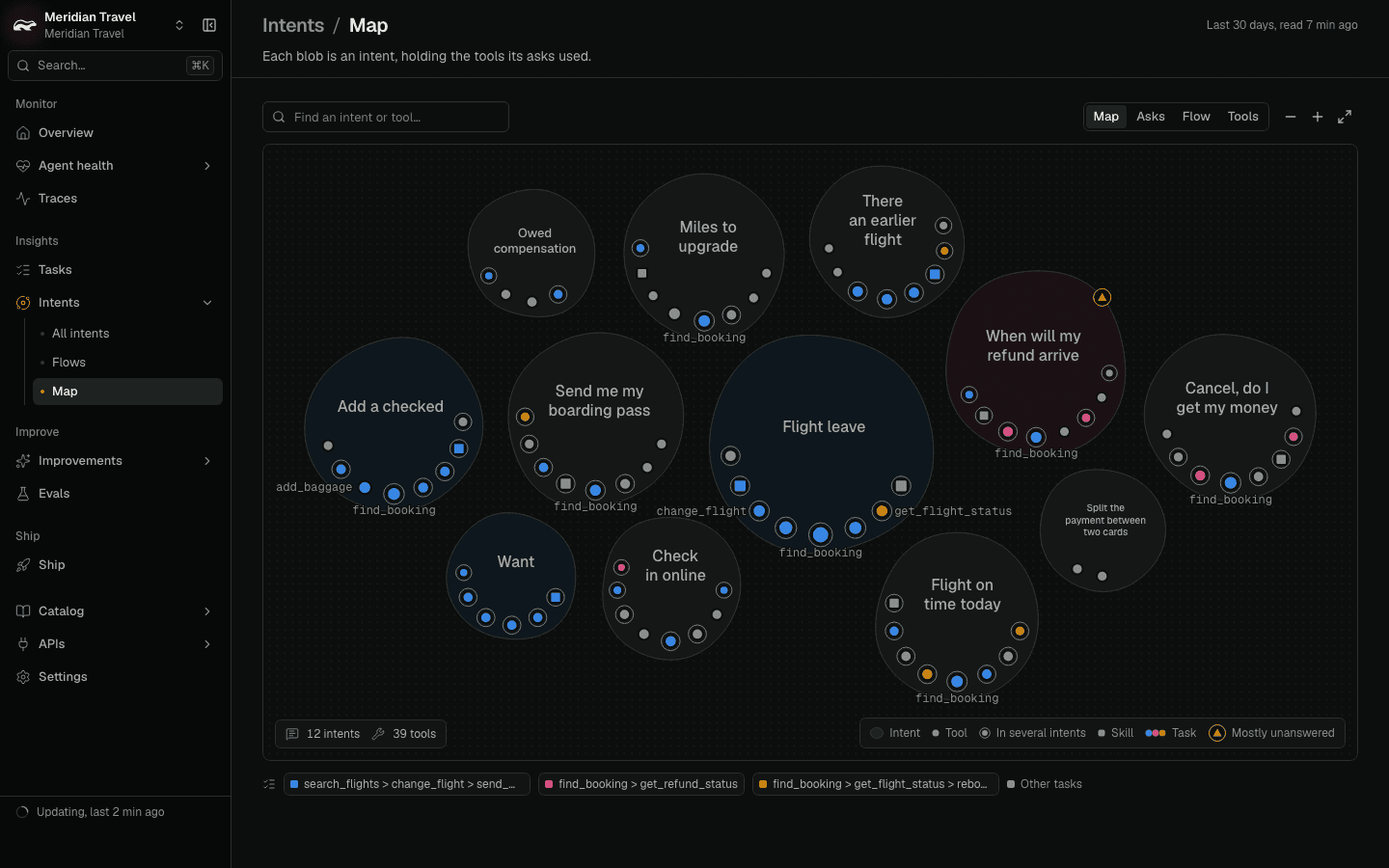
- Size: a blob is as large as its asks.
- Tools: a dot on the edge, in its task's color. A ringed dot is in several intents. A square is a skill.
- Mostly unanswered: a warning badge on the blob.
- Point at a blob to list its tools beside it. The line at the bottom says what is lit.
Click an intent to open it: Asks, Answered, Negative, Asked again, What they ask for and Example asks. Click a tool to open it: Failed calls, Main task and Intents it serves, with links to Open in Catalog, Description, Self-corrections and Fixes.
It answers: which tool serves the most intents? Open the tool with the most rings, and read Intents it serves.
Asks lens
Each intent holds what its asks are for, and each of those the ways people ask it.
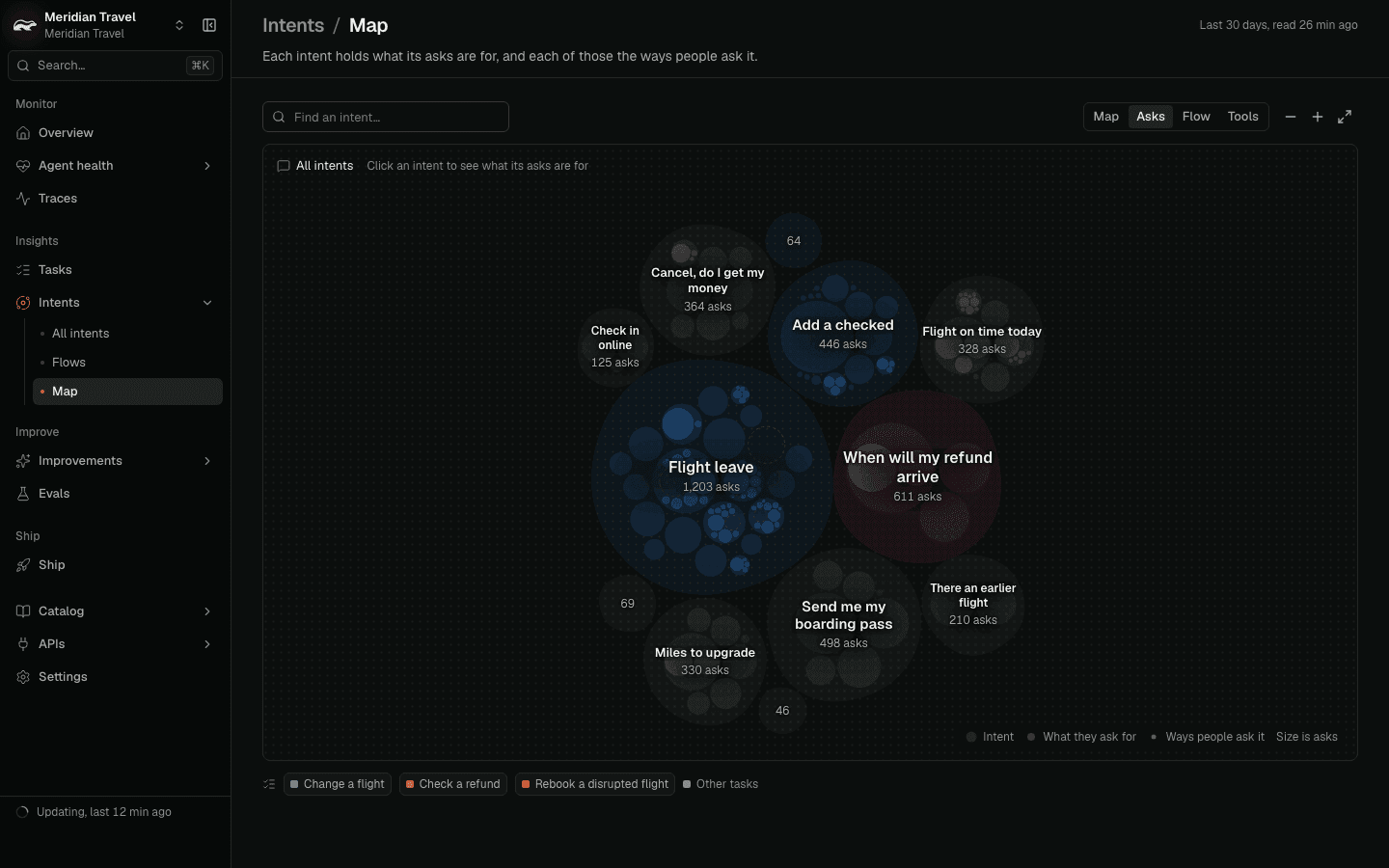
- A circle is as large as its share of the asks around it. The legend reads Intent, What they ask for, Ways people ask it and Size is asks.
- Click a circle to go in one level. A way of asking opens its card, with its asks and its share.
- The trail at the top (All intents › …) and Esc come back out. Open the intent opens it on All intents.
It answers: is one intent really several? A large intent with a few large circles inside is a candidate to split into tasks.
Flow lens
The busiest intents and the tools their asks called.
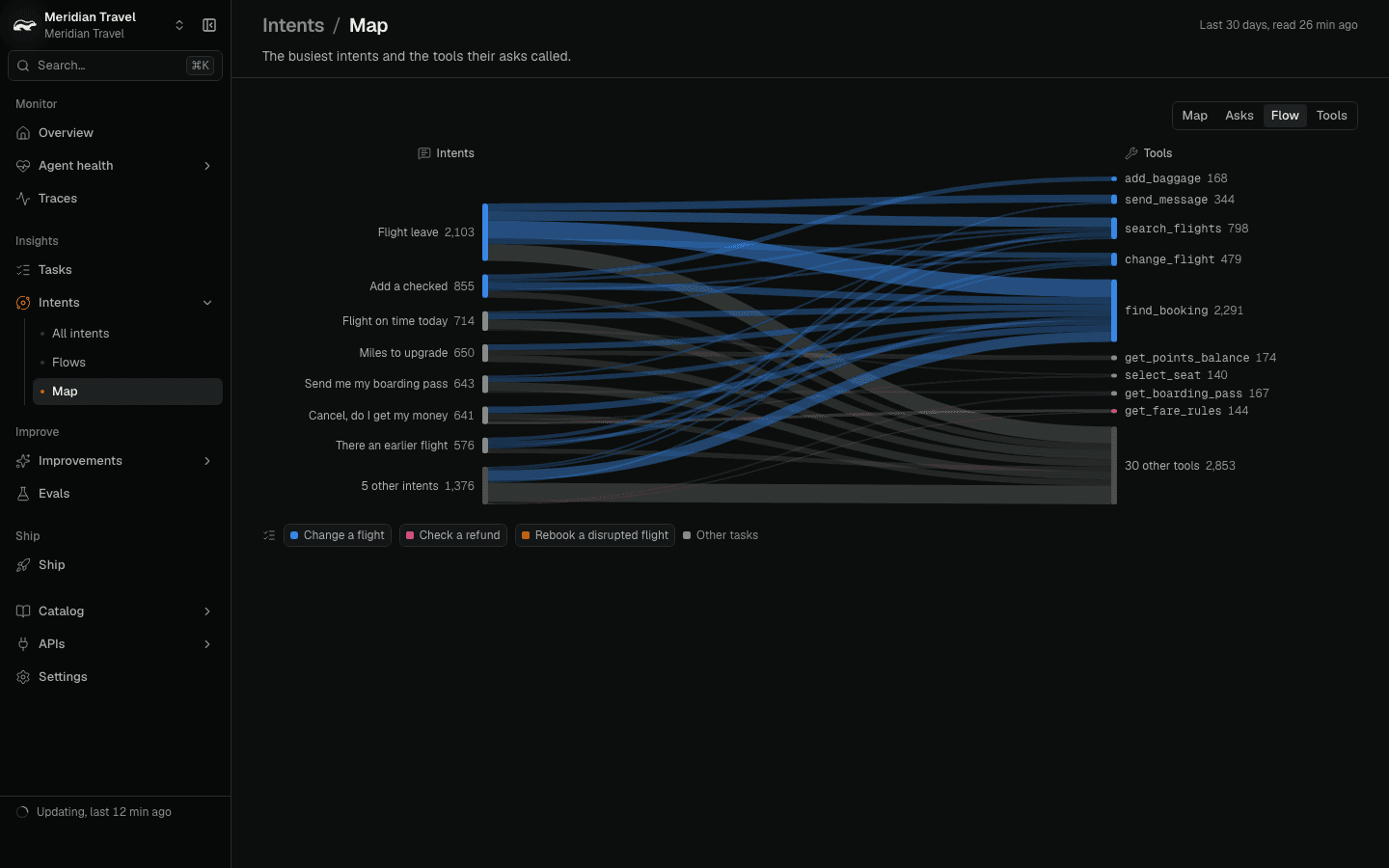
Intents are on the left and tools on the right. A ribbon is as wide as its calls, in its task's color. The rest fold into other intents and other tools. Point at a row or a ribbon to trace it. Click a row to open it.
It answers: which tools carry most of the load?
Tools lens
Every tool in its task, on one globe.
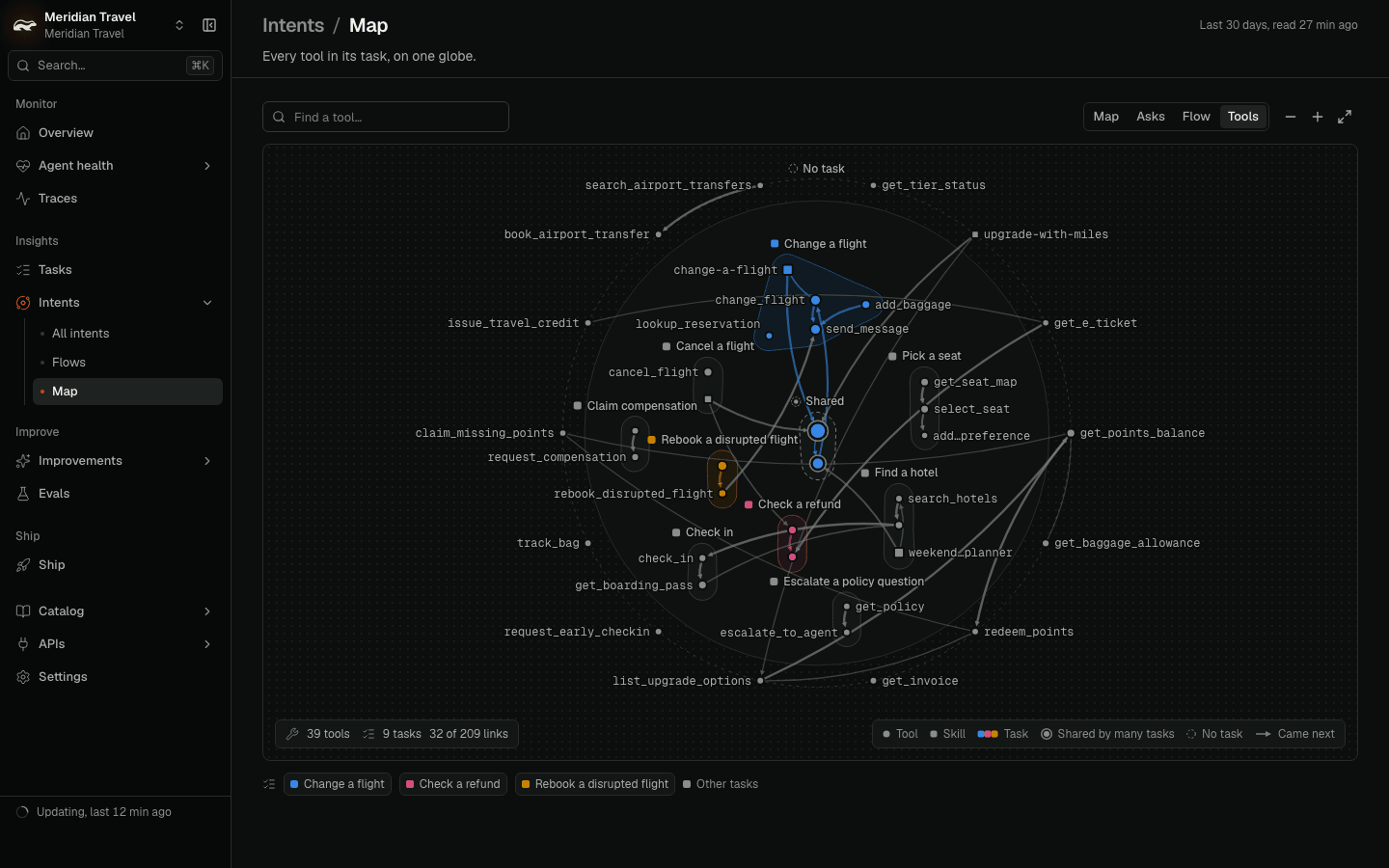
- Each tool sits in its task's hull. Shared in the middle holds tools many tasks run. No task is the dashed ring at the edge.
- A link joins two tools that serve the same intents. A link with an arrow means one came right after the other in a turn (Came next).
- Point at a tool to light its partners. Point at a link to see why the two are linked.
- Find a tool… flies to a tool. Click a tool to open it.
It answers: which tools are always used together? Tools linked across two tasks are candidates for one combined tool. See Fixes.
See Intents and tasks for how intents and tasks relate.
Next step
Look for an intent with a low Answered rate, or one that people often ask again in Flows. Then test that ask in Test a search.
Over MCP
list_intentsandget_intent: the intents and one intent with its asks.list_intent_tool_usage: the tools each intent uses, as in Map.list_tool_cousageandlist_tool_transitions: which tools run together and in which order.request_analysis: build the intents again now.