FeaturesCatalog
Test a search
See which tools your agent finds for an ask, and why.
Test a search answers: if someone asked this, which tools would my agent find?
It runs a Ratel search over your catalog, as your agent would. Open it from Catalog › Test a search.
Run a search
- Type an ask in What would someone ask your agent?, or pick one from Real asks.
- Pick how to match: Keyword match, Semantic match or Hybrid, and the Results per list.
- Click Search.
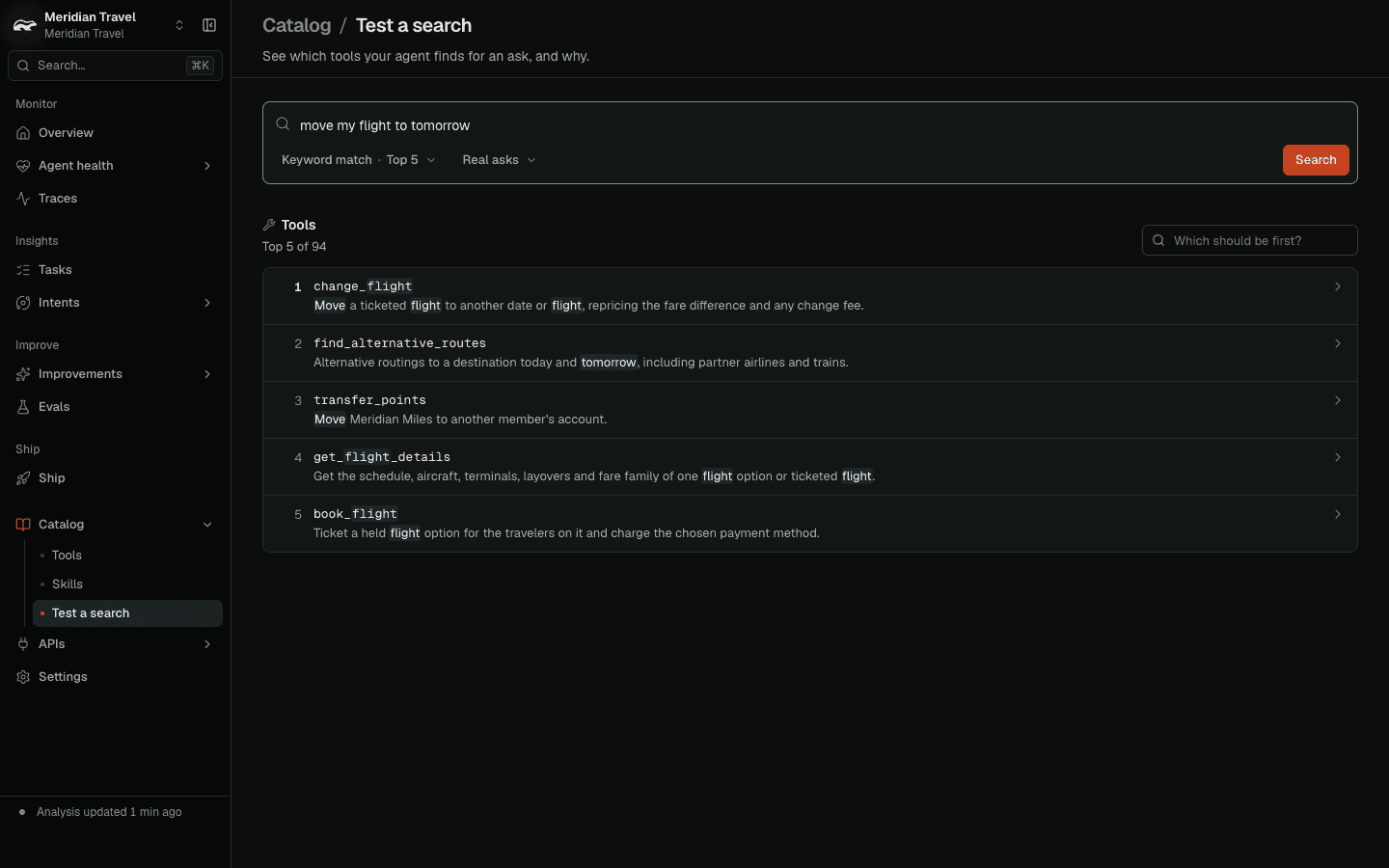
The result lists the tools best first. The words that matched are highlighted in each searchable description. Click a tool to open its details.
Pick the tool you expected in Which should be first?. It then shows as Should come first, so you see at once where it ranked.
Next step
If the right tool ranks low, rewrite its searchable description on Quality, then search again.
Over MCP
test_retrieval: the same search, from your coding agent.