FeaturesCatalog
Tools
Every tool your agent can call, its searchable description, and how much it is used.
Tools answers: which tools does my agent have, and which ones does it use?
Open it from Catalog › Tools.
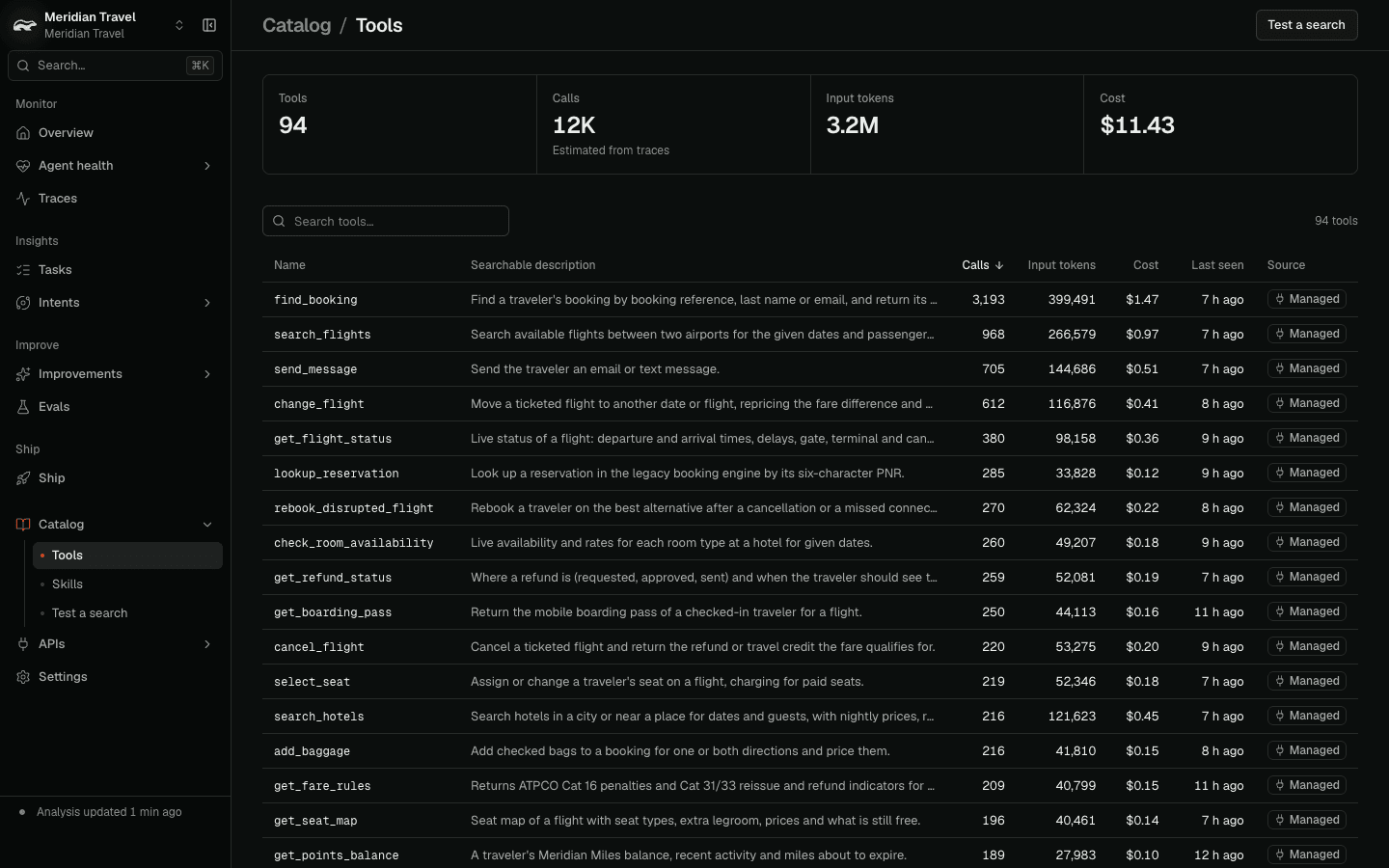
How to read it
- Searchable description. The text a Ratel search matches against. It can differ from the description the model reads.
- Calls, Input tokens and Cost. How much the tool is used in the window.
- Last seen. The last call.
- Source. Managed tools come from the catalog your SDK syncs, and you can edit their searchable description. Observed tools are only seen in traces.
Search tools… filters the list. Test a search opens Test a search.
Tools appear once your SDK syncs its catalog or your traces call them. See Send data.
Next step
Sort by Calls. A tool with no calls may be one your agent never finds. Check it in Agent health ("Tools never called").
Over MCP
list_runtime_catalogandget_catalog_status: this page.list_declared_toolsandlist_invoked_tools: synced tools and called tools.list_catalog_overridesandset_catalog_override: read or change a searchable description.