FeaturesCatalog
Skills
The skills your agent runs, and the ones you write in the Platform.
Skills answers: which skills does my agent have, and which ones does it run?
A skill is a named procedure your agent can load, with its own searchable description. Open it from Catalog › Skills.
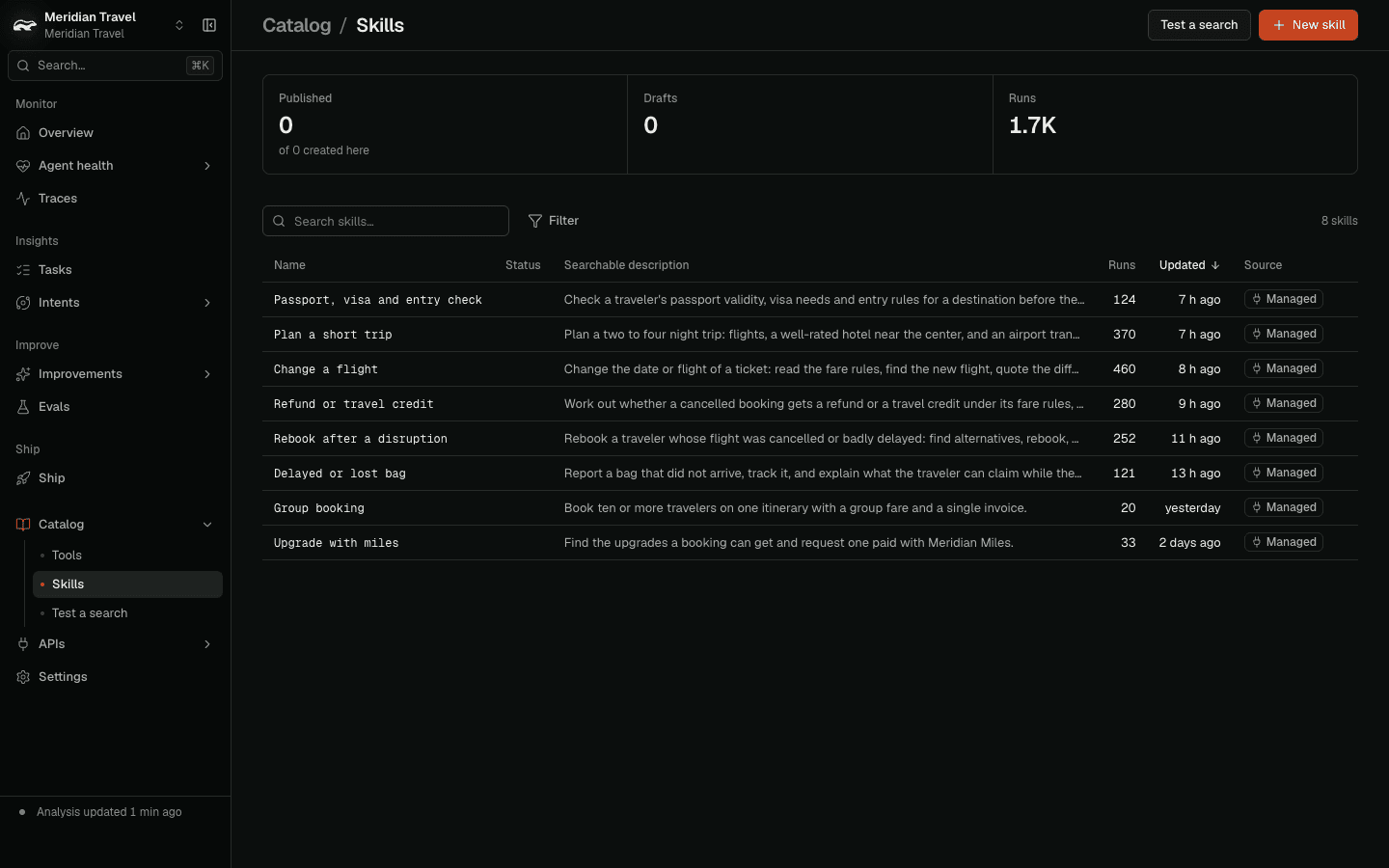
How to read it
- Status. Published, Draft or Archived. Only published skills reach your agent.
- Searchable description. The text a Ratel search matches against.
- Runs and Updated. How often the skill ran, and when it last changed.
- Source. Where the skill comes from: your runtime, your traces, or the Platform itself.
Write a skill
- Click New skill.
- Fill Name, Description and Body (SKILL.md). Tags and Tools are optional. Save it as a draft.
- Open the row menu and click Publish skill.
The SDK syncs published skills to your agent. Edit skill… changes one, Archive skill retires it.
Next step
Fixes in Add skills propose new skills from your traces. Start there before writing one by hand.
Over MCP
list_skillsandget_skill: this page and one skill.create_skill,update_skill,publish_skill,archive_skillandimport_skills: write skills.list_search_queries_for_skillandget_improvement_signals: which searches reach a skill, and which skills are never used.