FeaturesImproveEvals
Scorers
What a good run is: the checks that score each eval and each live run.
PreviewEvals is in preview and off by default. Ask your Ratel contact to turn it on for your organization.
A scorer reads a run and says if it passed. It scores evals when they run, and your task's live runs every day.
Kinds
Pick the kind in Add scorer:
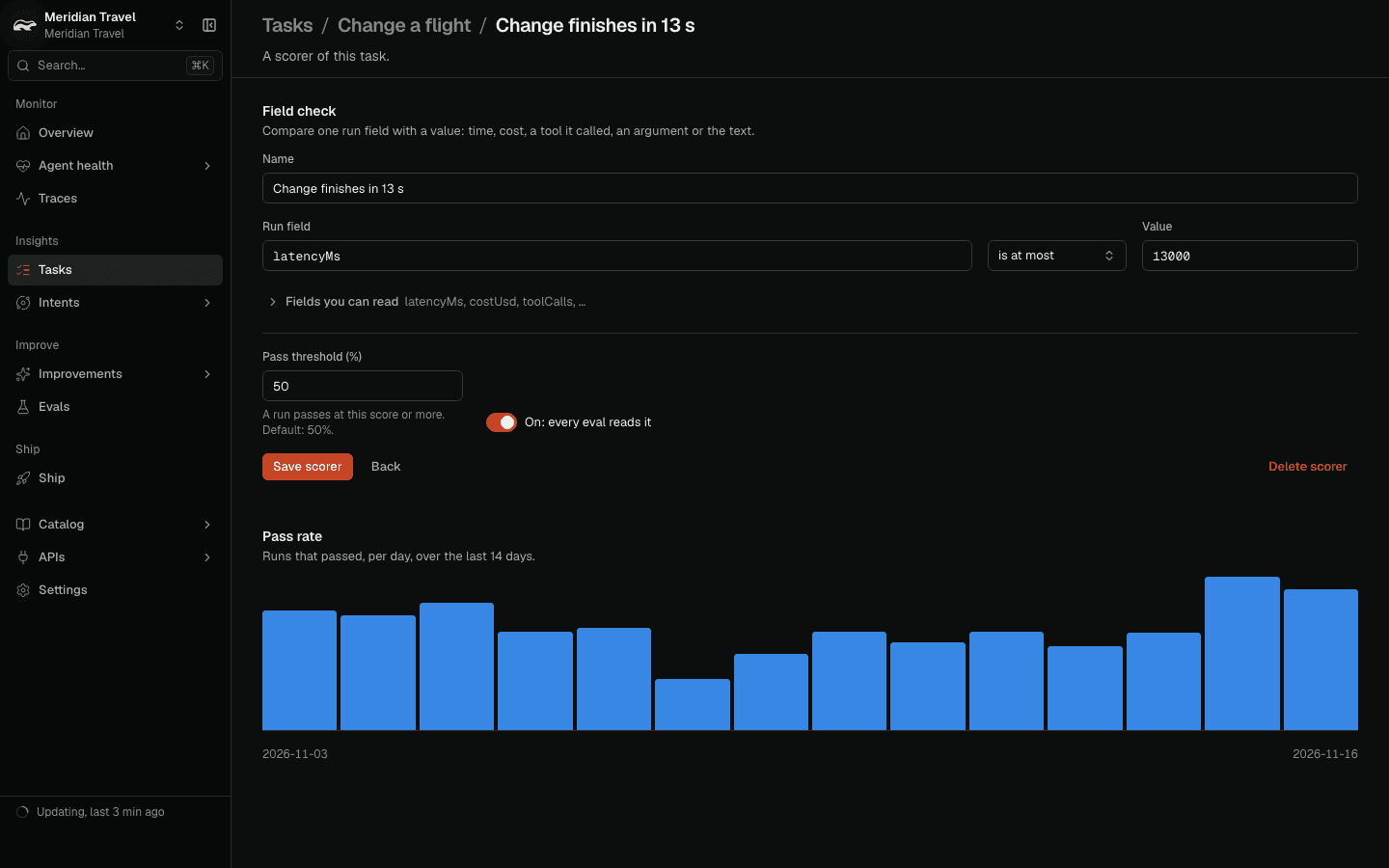
- Field check. Compare one run field with a value: time, cost, a tool it called, an argument or the text. For example
latencyMsis at most13000. - JSON rule. A logic rule over the whole run, written as JSON. For example: at most 5 tool calls.
- Model judge. A model reads the run and your criteria, and says pass or fail.
- Model question. A model answers one question about the run from your options, and you pick which answers pass.
Fields you can read lists the run fields, such as latencyMs, costUsd and toolCalls.
Where scorers live
- Built-in. Every eval has them: the last tool call succeeds and the agent replies, no self-corrections, a time limit and a cost limit. Their limits come from the task.
- Task scorers. On a task page. They score that task's evals and its live runs.
- Suite scorers. On Evals › Suite settings. Every eval reads them.
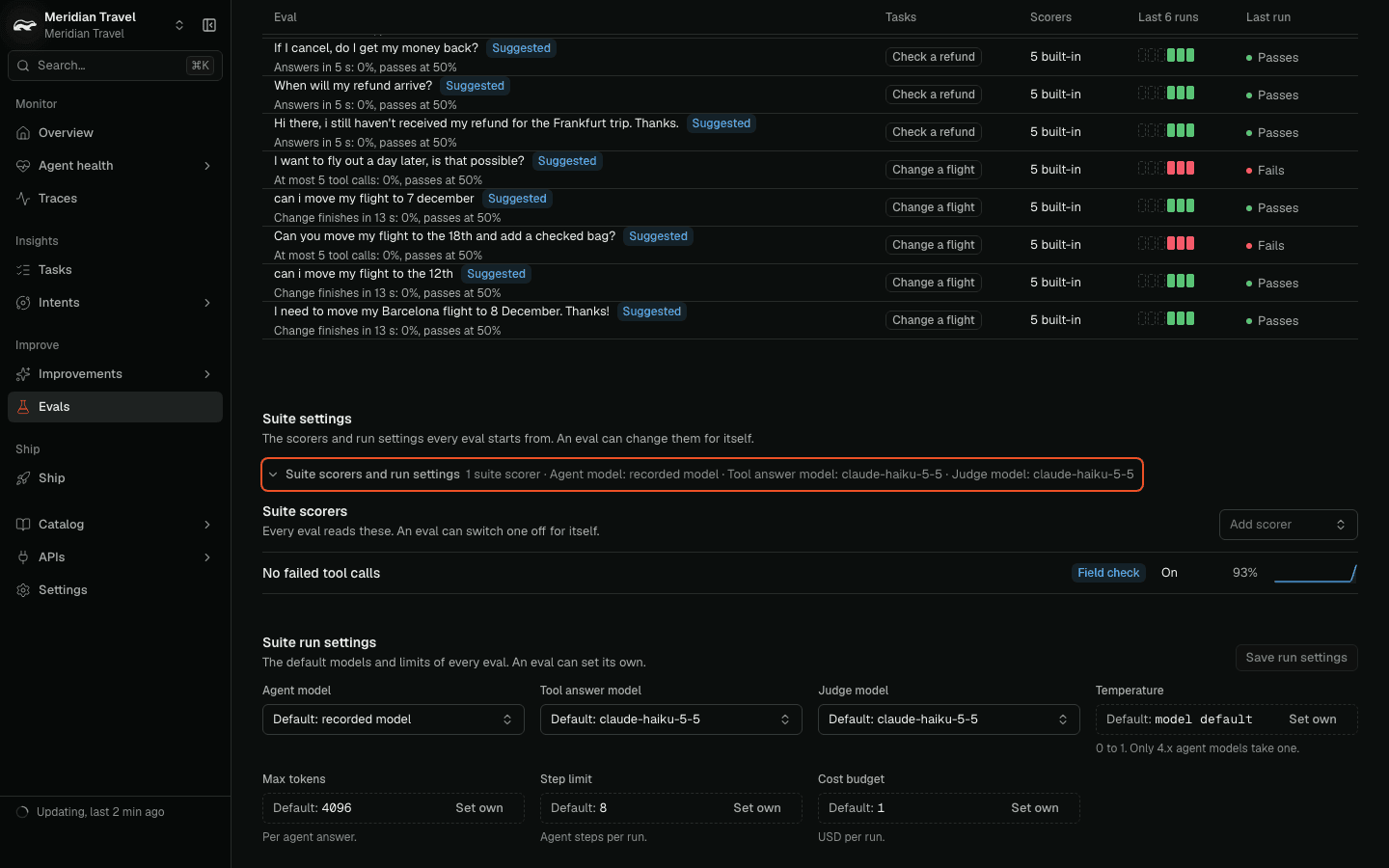
An eval can switch a task or suite scorer off for itself, in Edit eval.
Read a scorer
- Pass threshold (%): a run passes at this score or more. The default is 50%.
- The switch: On means every eval reads it.
- Pass rate: runs that passed, per day, over the last 14 days. A drop means a change made that check fail more often.
Save scorer keeps your edits. Delete scorer removes it.